ENGLISH
14
Viewing COMPASS mode
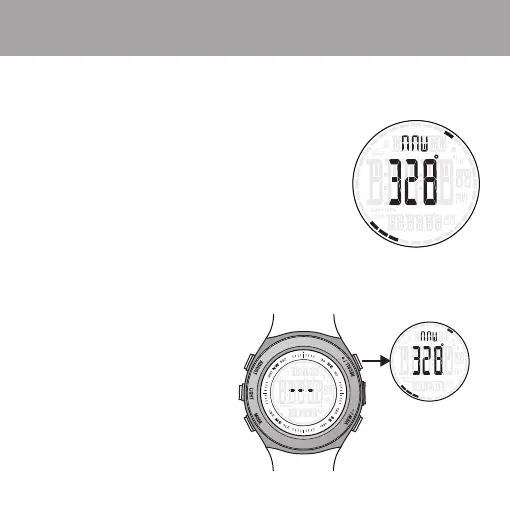
1. The four dots on the outside of the display point to true north.
The single dot is the north point of the arrow.
The three dots represent the south end of the arrow.
2. One of 16 cardinal point descriptions will appear in the upper display.
N - S - E - W - NE - NW - SW - SE
NNW - NNE - SSW - SSE
ESE - ENE - WNE - WNW
3. 360 degree compass reading in center display.
Recalling the Compass
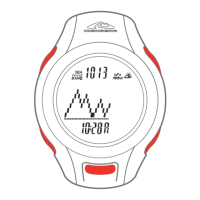
1. Three dashes will appear in the compass display after 25 seconds.
2. The compass automatically shuts down after 25 seconds to save battery life.
3. Press RECALL / + or VIEW / - to re-activate the compass sensor.
COMPASS Mode Display ( AXIO max only )


 To Next Page