ENGLISH
16
COMPASS mode settings ( AXIO max only )
What is Magnetic Declination?
A magnetic compass points to the earth’s magnetic north pole. Depending on your location, this may
differ from True North. Adjusting the magnetic declination allows you to compensate for this variation.
Magnetic declination for an area can be found on topographical maps. Declination can range over
time and distance. Make sure the source for your declination setting is up to date. The following
websites are good sources for finding up to date local magnetic declination readings.
http:// www.gsc.nrcan.gc.ca/geomag/field/mdcalc_e.php
http:// www.ngdc.noaa.gov/seg/geomag/jsp/Declination.jsp
NOTE: If you do not have a declination reference, leave the declination setting at the default, ZERO.
Setting the Declination
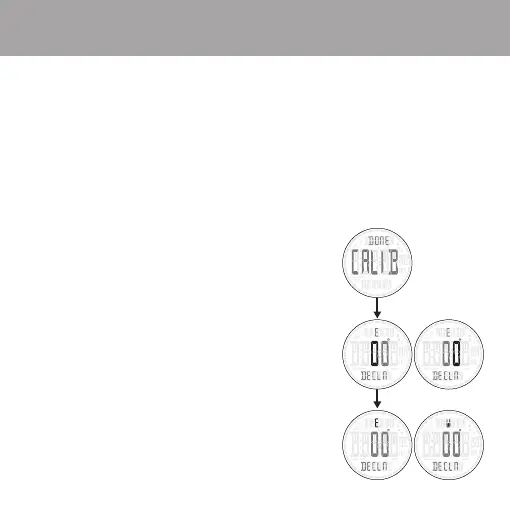
1. Press and hold ADJUST for 3 seconds to begin calibration.
2. Run through the calibration process or
press MODE to skip calibration and enter declination settings.
3. Press RECALL / + or VIEW / - to change the value
of the first digit of the declination setting.
4. Press mode to move to the second digit.
5. Press RECALL / + or VIEW / - to change value.
6. Press mode to move to E or W declination setting.
7. Press RECALL / + or VIEW / - to select E or W declination.
8. Press ADJUST to exit calibration and return to COMPASS mode.


 To Next Page