ENGLISH
17
ALTIMETER / TEMPERATURE / BAROMETER Views
NOTE: START / + is labeled as RECALL / + on AXIO max.
NOTE: STOP / - is labeled as VIEW / - on AXIO max.
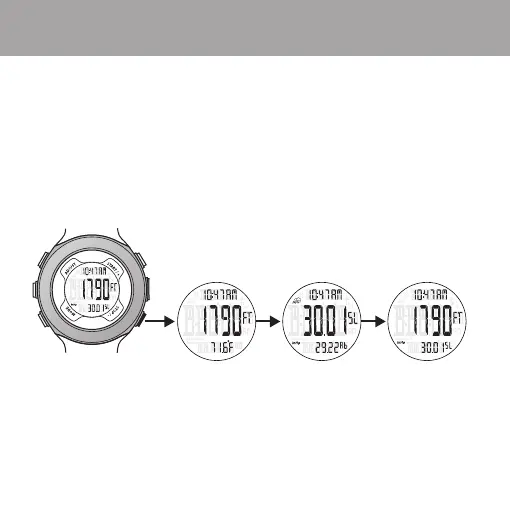
ALTI-BARO Mode Views
1. The time of the selected TIME ZONE is always displayed in the upper display.
2. TIME / LOCAL ALTITUDE / Sea-Level BAROMETER is the default.
3. Press STOP to change view to TIME / LOCAL ALTITUDE / TEMPERATURE view
and TIME / Sea-Level BAROMETER / Absolute BAROMETER view.
4. The weather forecast icon only appears in TIME / Sea-Level BAROMETER /
Absolute BAROMETER view.


 To Next Page