HighPoint NVMe Boot RAID Windows Installation Guide
16
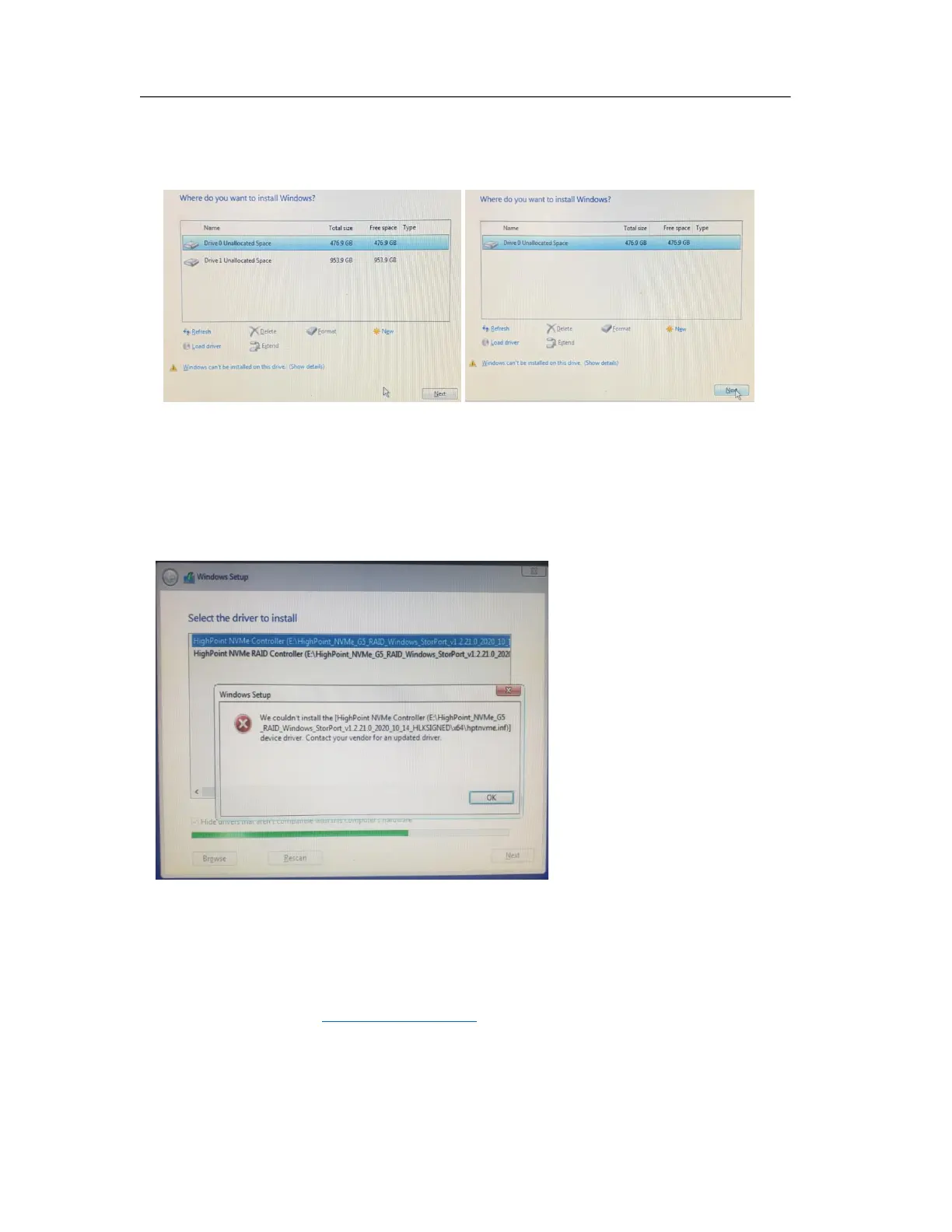
Yellow warning before and after installation of the driver.
Before and after installing the driver, a yellow exclamation point warning appears in the lower
left corner of the installation interface.
Solution:
a. Please confirm "Boot from Storage Devices" is set to "UEFI driver first";
b. Confirm whether UEFI DVD is selected to enter the system installation interface.
Load driver error
When installing the driver, it prompts that the driver needs to be updated.
Solution: The appearance of the error message indicates that other NVMe Drives are
connected to your applicable motherboard. Try the following:
a. Remove all NVMe Drive installed on the motherboard and reinstall OS.
If none of the above methods work, please provide pci&driver information. You can submit a
support ticket using our Online Support Portal ,include a description of the problem in as much
detail as possible.















 To Next Page