Using HighPoint NVMe RAID AICs with the Dell Precision 3930 Rack Workstation
15
4. Uninstalling a HighPoint NVMe RAID AIC from the Dell
Precision 3930 Rack Workstation
4.1 Uninstall hardware
4.1.1 Recommended tools
a. Screwdriver (system cover require a screwdriver to open)
b. Wired ESD wrist strap (to prevent electrostatic accidents)
4.1.2 Uninstalling hardware
a. Use a wired ESD wrist strap that is properly grounded.
b. Shut down the system.
c. Insert a screwdriver and turn counterclockwise to unlock the system cover
latch.
d. Lift the latch upward to remove the system cover.
e. Remove the riser1 module from the system.
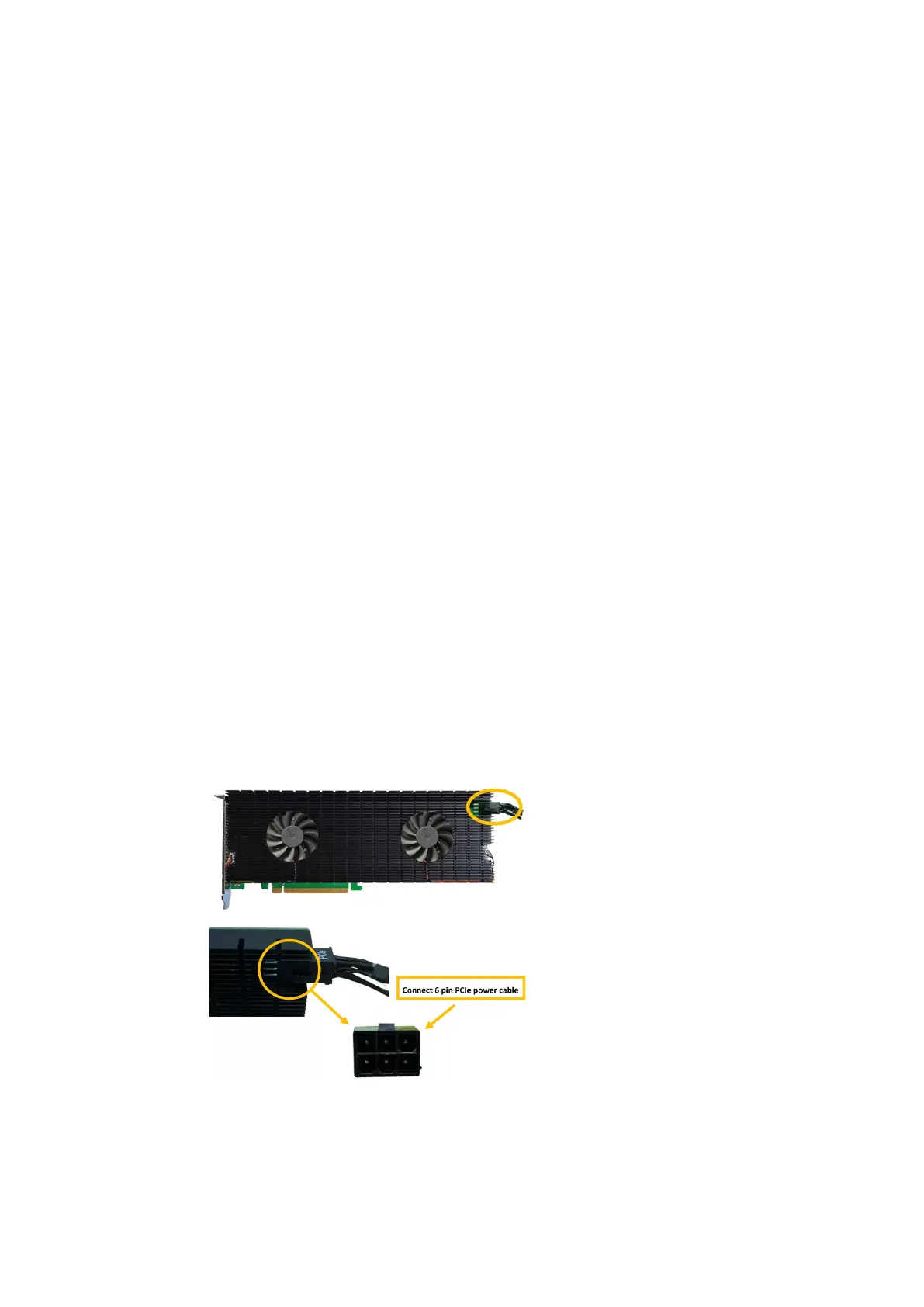
f. If you are using the SSD7140A, SSD7540, RocketAIC 7140AW, or RocketAIC
7540HW, you will need to disconnect the power cable to the 8-pin power
connector on the system and to the 6-pin power connector on the HighPoint
NVMe RAID AICs.
Note: If you are not using SSD7140A, SSD7540, RocketAIC 7140AW, or
RocketAIC 7540HW, you can safely move to the next step.
g. Pull the riser1 module latch and push the release tab on the PCIe slot.
h. Holding the edge of the HighPoint NVMe RAID AIC, lift up to remove the















 To Next Page