Using HighPoint NVMe RAID AICs with the Dell Precision 3930 Rack Workstation
19
4.2.2 Uninstall the HighPoint NVMe RAID AIC for Linux
4.2.2.1 Uninstall Driver
a. Open the system terminal with root privileges.
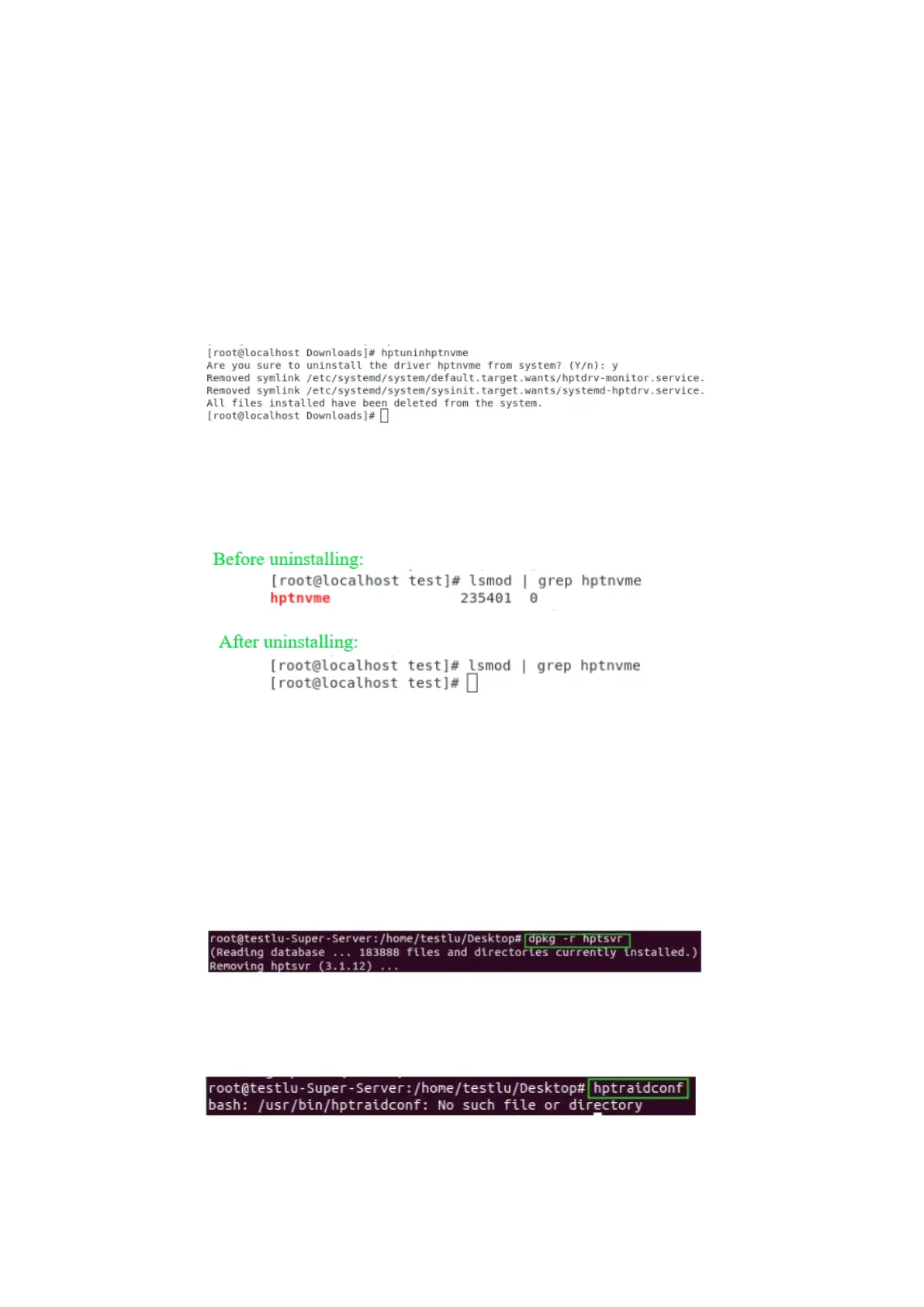
b. Enter the following commands to uninstall the driver: hptuninhptnvme.
c. Press ’Y’ to confirm.
d. After uninstalling the driver, manually reboot the system.
e. After the system has rebooted, open the system terminal with root
privileges. And enter the following command to check the driver status:
lsmod |grep hptnvme
f. If the system does not display information about “hptnvme”, the driver has
been successfully uninstalled.
4.2.2.2 Uninstall the RAID Management Software
a. Open the system terminal with root privileges.
b. Enter the following commands to uninstall the RAID Management.
# dpkg -r hptsvr (or rpm -e hptsvr-https)
c. Enter the following command to check if the RAID Management has been
removed successfully.
#hptraidconf
After uninstall:















 To Previous Page