Using HighPoint NVMe RAID AICs with the Dell Precision 3930 Rack Workstation
18
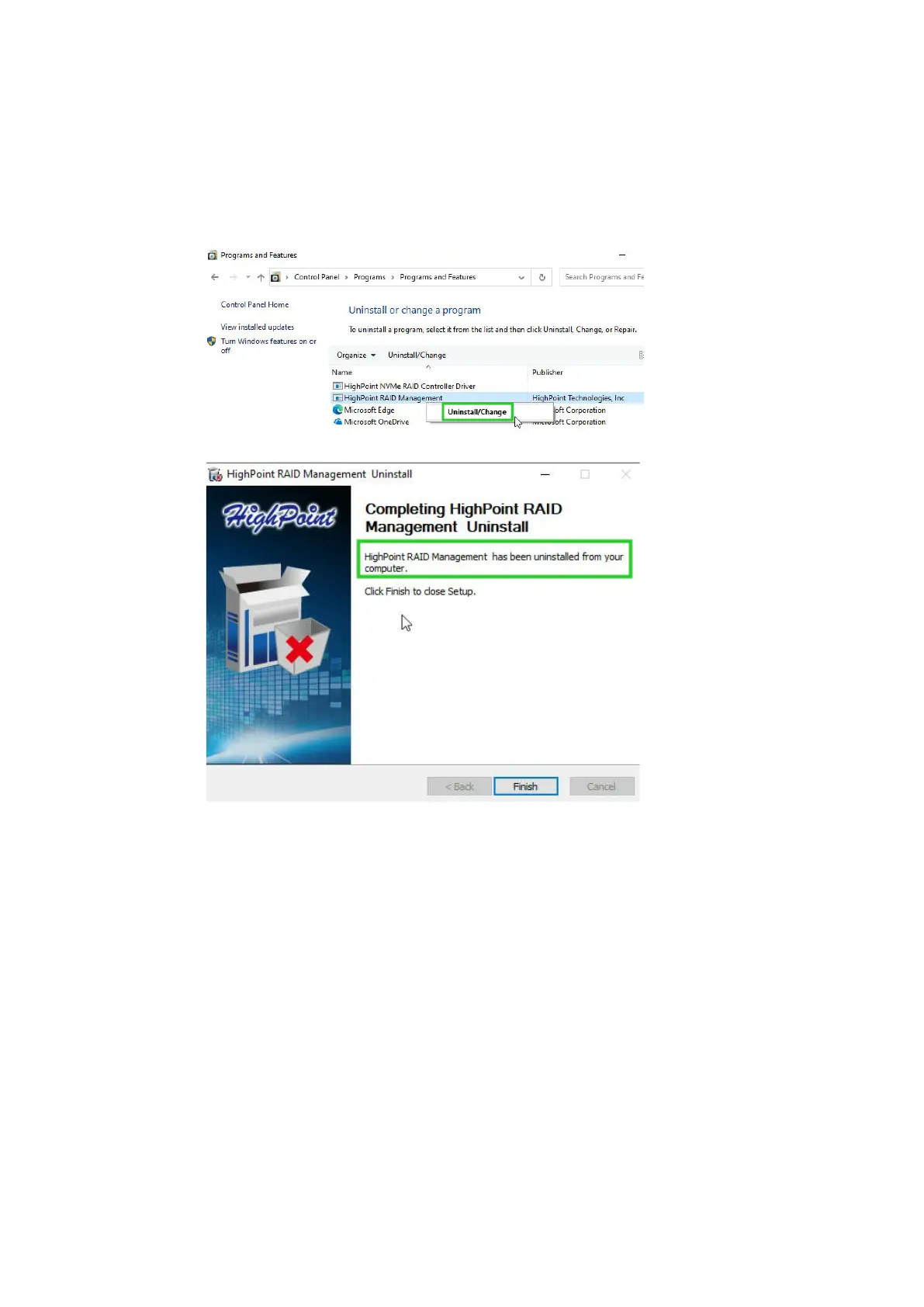
4.2.1.2 Uninstall the RAID Management Software
a. Access Control Panel and select Programs→ Programs and Features.
b. Click on the HighPoint RAID Management entry.
c. Click Uninstall/Change.
d. After uninstalling the HighPoint RAID Management, click Finish.















 To Next Page