3.2.2 Flush Mounng with Gang Box
Steps
1.
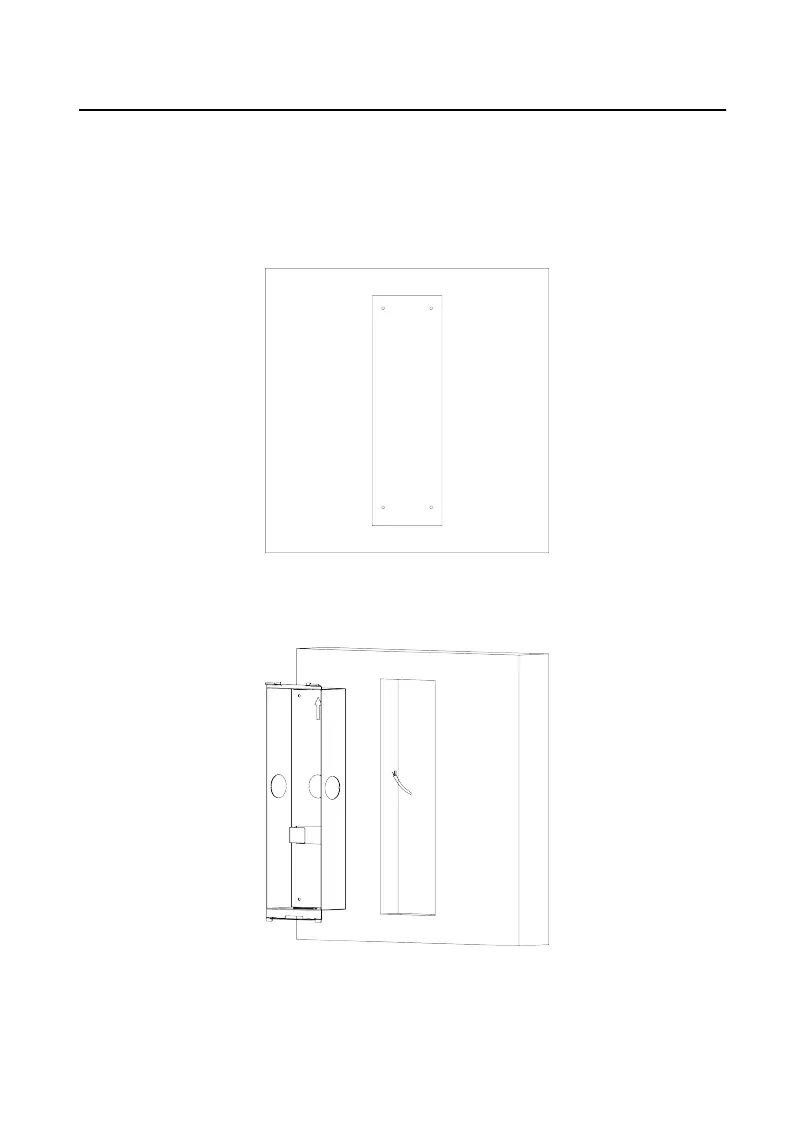
Drill a hole in the wal for inserng the gang box. The size of the hole should be
larger than that of the gang box. The suggested size of the hole is 404.5 (W) ×
123.5 (H) × 48 (D) mm.
Figure 3-7 Drill an Installaon Hole
2.
Insert the gang box into the hole and x it with 4 PA4 screws. Make sure the
edges of the gang box align to the wall.
Figure 3-8 Insert the Gang Box
3.
Route the cables of the door
staon through the cable hole.
Video Intercom D Series Door
Staon User Manual
18













 To Next Page