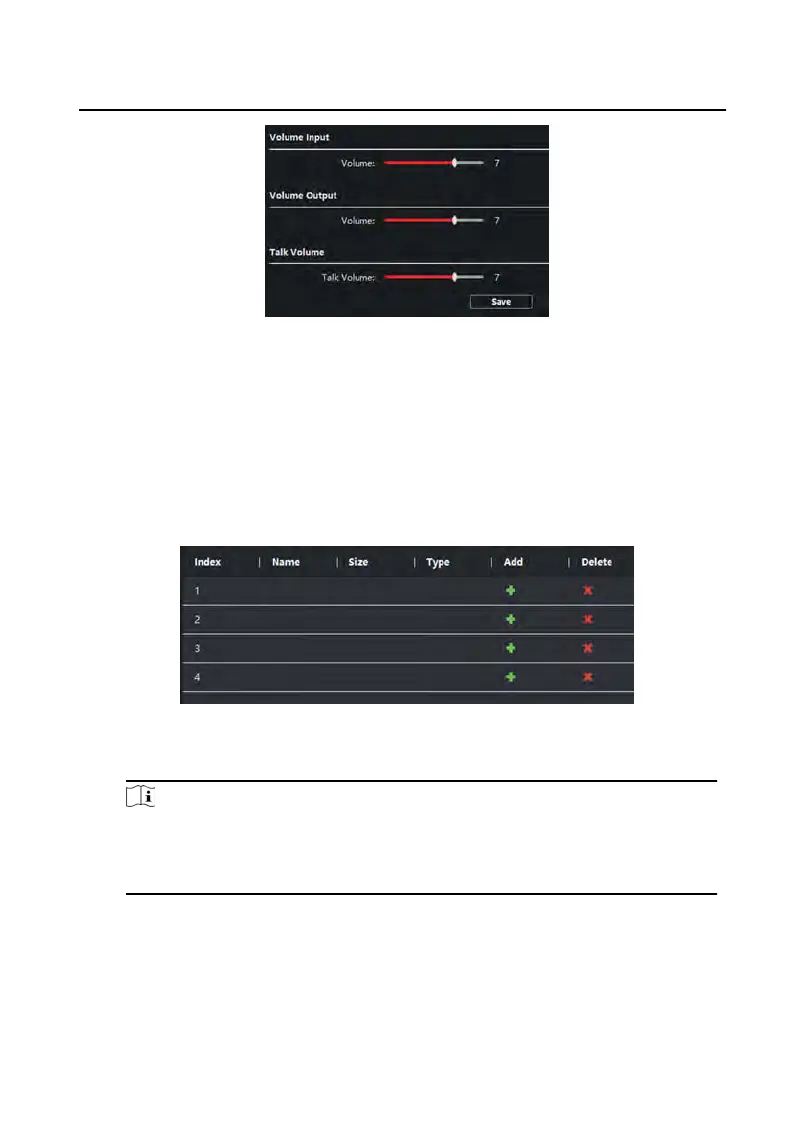
Figure 3-13 Volume Input and Output
2.
Slide the slider t
o adjust the volume input, volume output and talk volume.
3.
Click Save to enable the sengs.
Ring Import
Steps
1.
Click Ring Import t
o enter the ring conguraon page.
Figure 3-14 Ring Import
2.
Click + to add the ring, and click x to delete the imported ring.
Note
•
The ring t
o be imported should be in the wav format, and the size of the ring
cannot be larger than 300k.
•
Up to 4 rings can be added.
Deploy Info
Click Deplo
y Info, you can get the deploy informaons.
Video Intercom 9 Series Indoor Staon Conguraon Guide
29


 To Next Page
 Loading...