DS-MCW405/32G/GPS/WIFI Body Camera User Manual
UM DS-MCW405/32G/GPS/WIFI 042021NA 24
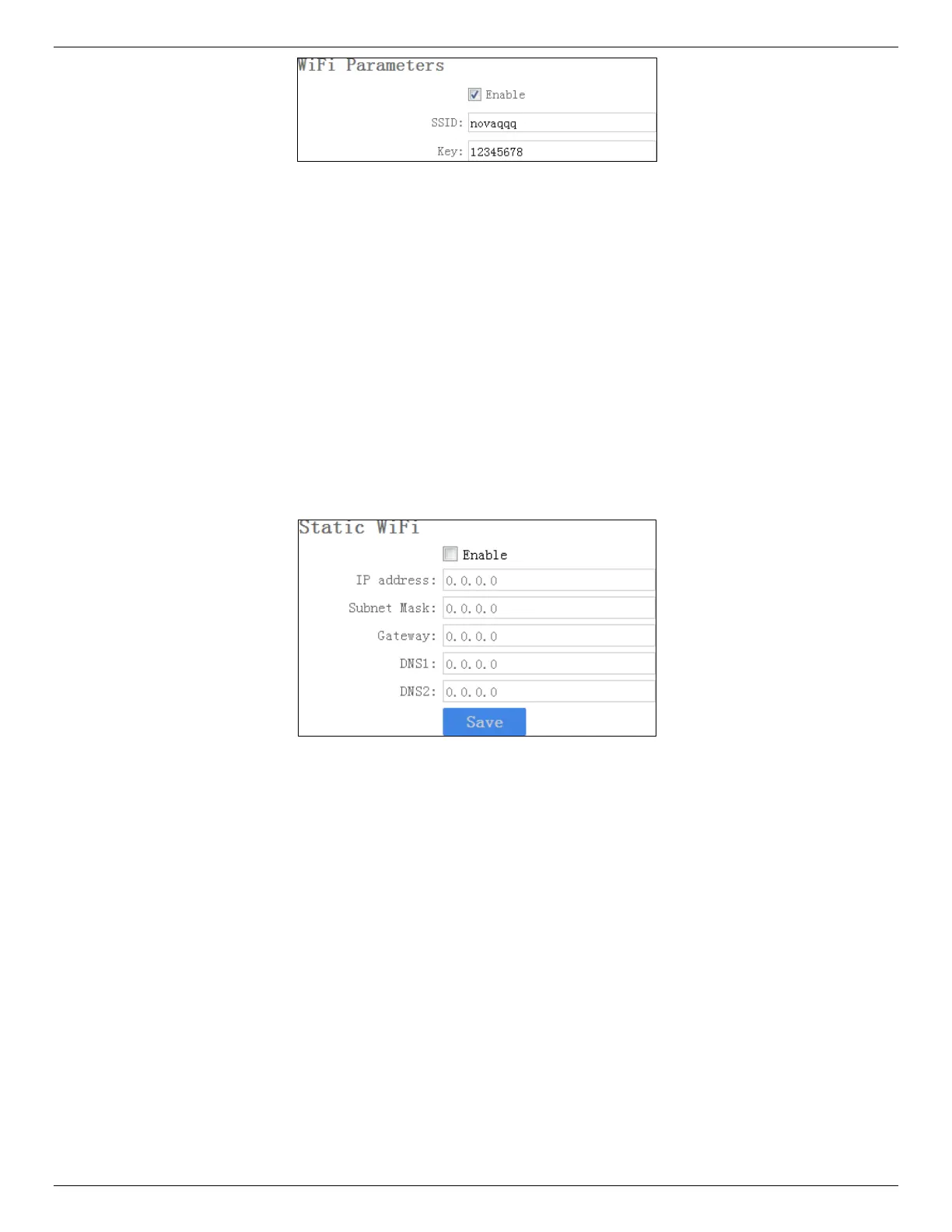
Figure 23, Set Dynamic Wi-Fi
2. Check Enable.
3. Enter SSID and Key of the Wi-Fi you want to connect.
4. Click Save.
NOTE: The Wi-Fi function varies by model. The actual product prevails.
3.11.2 Set Static Wi-Fi
You can access the Internet by connecting to a Wi-Fi. If you want to guarantee the network stability
and retain the access address, set a static Wi-Fi.
1. Go to Device Configuration > Static Wi-Fi Configuration.
Figure 24, Set Static Wi-Fi
2. Check Enable.
3. Enter the parameters listed.
4. Click Save.
NOTE: Consult with the network operator to obtain the static Wi-Fi address.
The Wi-Fi function varies by model. The actual product prevails.
3.11.3 Set Wi-Fi AP
The body camera can be set as a hotspot to share the network with other devices.
NOTE: Wi-Fi and Wi-Fi AP cannot be enabled simultaneously.
1. Go to Device Configuration > Network Settings > AP Hotspot Param.



 To Next Page
 Loading...