EasyManua.ls Logo

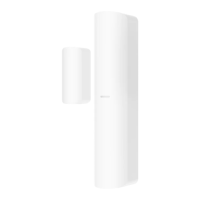
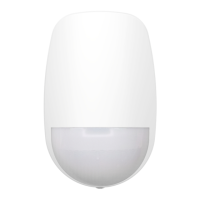
HIKVISION DS-PDMCX-E-WE - User Manual

HIKVISION DS-PDMCX-E-WE
142 pages
Print Icon
To Next Page IconTo Next Page
Loading...
AX PRO
User Manual

Table of Contents

Other manuals for HIKVISION DS-PDMCX-E-WE

Questions and Answers

  • M
    Mrs. Julie Baker MDSep 2, 2025
    Why am I unable to send mails to QQ or Foxmail from my HIKVISION Security System?
    • C
      Courtney BarnesSep 2, 2025
      If you're having trouble sending emails to QQ or Foxmail, remember that the password needed for QQ account login isn't the usual one. Generate an authorization code via email account ? device ? account ? and use that as the login password.
  • C
    Craig CrossAug 31, 2025
    What to do if the HIKVISION Security System alarm information is not reported to APP/4200/Alarm Center?
    • S
      susanbutlerAug 31, 2025
      If alarm information isn't being reported, make sure that 'alarm and tamper-proof notice' is enabled in the settings.
  • S
    Stephanie SmithAug 29, 2025
    Why am I unable to send mails to Gmail from my HIKVISION Security System?
  • I
    icampbellAug 27, 2025
    What to do if the HIKVISION Security System network camera drops off frequently?
    • L
      lwongAug 28, 2025
      If the network camera frequently disconnects, verify that the network communication and camera live view are functioning correctly.
  • M
    Michelle JohnsonAug 26, 2025
    What to do if I failed to add a device on the HIKVISION Security System APP?
    • J
      Joan JacksonAug 26, 2025
      If you can't add a device on the app, check the web page to see if Hik-Connect is offline. This could be the reason for the failure.
  • M
    middletonchristyAug 25, 2025
    Why is my HIKVISION Security System Hik-Connect offline?
    • J
      Judith Woodard DDSAug 25, 2025
      If Hik-Connect is offline, it indicates a problem with the panel's network configuration, which prevents access to the extranet.
  • A
    Amanda HumphreyAug 22, 2025
    What to do if the HIKVISION Security System web page is not accessible?
    • A
      Alan WardAug 22, 2025
      If the web page isn't accessible, check if the network cable is properly connected and the panel network is working correctly. Also, if you've modified the panel port, make sure to include the port number in the web address when trying to access it.

Summary

Chapter 1 Introduction

Chapter 2 Start Up

2.1 Authority Management

Explains how to manage device activation and permissions via different apps.

Chapter 3 User Management

Chapter 4 Configuration

4.1 Set-up with Hik-Proconnect

Detailed steps for setting up the AX PRO using the Hik-ProConnect mobile app.

4.1.1 Use the Hik-Proconnect APP

Guide to using the Hik-ProConnect app for device configuration.

4.2 Set-up with Hik-Connect

Guide for setting up the device using the Hik-Connect mobile app.

4.3 Set-up with the Web Client

Instructions for configuring the device via the web client interface.

Chapter 5 General Operations

A. Trouble Shooting

A.1 Communication Fault

Common communication issues like IP conflicts and web page inaccessibility.

A.3 Zone Fault

Troubleshooting guide for zone-related issues like being offline or tampered.

A.4 Problems While Arming

Solutions for failures occurring during the arming process.

A.5 Operational Failure

Troubleshooting common operational failures like test mode entry or alarm reports.

HIKVISION DS-PDMCX-E-WE Specifications

General IconGeneral
BrandHIKVISION
ModelDS-PDMCX-E-WE
CategorySecurity Sensors
LanguageEnglish

Related product manuals