
 Need help?
Do you have a question about the HIKVISION DS-TME401-TPC and is the answer not in the manual?
The Entrance/Exit Station, often referred to simply as a "station," serves as a crucial component for data collection and management within entrance, exit, and parking lot environments. Its primary function is to interact with specialized software or a platform to effectively control vehicle access, manage parking spaces, and facilitate parking fee collection. This device is designed to integrate with various peripheral devices, such as capture cameras, barrier gates, remote card readers, and alarm systems, enabling comprehensive vehicle passing, charging, and overall management capabilities.
The station acts as a central point for managing vehicle flow and related operations. At an entrance, it allows vehicles to take tickets, initiating time-based charges for parking. For exits, it facilitates the processing of tickets for departure. The integrated LCD displays essential information, including prompts, parking charges, and license plate numbers, providing clear guidance to users.
A key feature is its ability to connect with a control terminal, which manages capture, display, passing, and payment functions. This connectivity ensures that all operations are synchronized and controlled from a central point. The station supports both manual and quick addition of IP cameras, allowing for flexible setup depending on the network configuration and security requirements. When adding cameras, users can configure various parameters, including IP address, management port, username, and password, with strong password recommendations for enhanced security. The system also allows for editing and deleting existing IP camera configurations, providing administrative flexibility.
For entrance and exit operations, the station offers extensive parameter configuration. This includes setting default LCD prompts, linking enrollment stations (ticket issuance) to inductive loops for automated ticket printing upon vehicle detection, and linking UHF card readers to inductive loops for automated card reading. The system can be configured to contain barrier information, enabling it to receive status updates from connected barrier gates. It also supports notifications for illegal cards or tickets, ensuring that only authorized vehicles pass and alerting drivers to take tickets if no license plate is detected. The interval for swiping UHF cards can be adjusted, and the system can be set to prevent entry if no parking spaces are available. Furthermore, a "Keep Barrier Arm Raised for Tailing Vehicle" function prevents the barrier from falling when multiple vehicles enter continuously, improving traffic flow. Remote card access modes, such as Wiegand protocol types, can also be configured to suit specific access control needs.
The station also provides robust ticket configuration options, allowing customization of the information printed on tickets, such as title, contact number, and custom messages. Users can choose between barcode and QR code types and opt to print the license plate number and entering time on the ticket. A print test function is available to preview the ticket layout before final saving.
For multi-channel capture scenarios, where multiple capture units are installed for a single lane, the station can be configured to enable multi-channel capture. This feature ensures that the clearest captured picture is automatically uploaded to the platform, optimizing image quality for license plate recognition and other analytical purposes. The matching time for multi-channel capture can be adjusted to balance speed and accuracy.
Finally, the station provides a status view for entrance and exit operations, allowing administrators to monitor vehicle status, card status, and synchronization status, among other critical information. Once integrated with dedicated software, the station unlocks advanced functionalities like license plate recognition, automated barrier gate control, and precise fee charging.
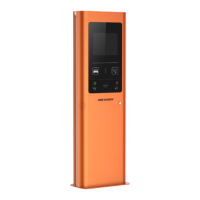
The station is designed for ease of use and efficient operation in a parking management context. Users interact with an LCD screen for visual prompts and information. For vehicle entry, a physical button allows drivers to take a ticket, while a dedicated exit facilitates ticket collection for time-based charges. Voice prompts, delivered through a loudspeaker, enhance the user experience, for example, by welcoming drivers. A card reader is integrated for swiping cards, and a help button provides a direct two-way audio link to the management center, ensuring assistance is readily available. For modern payment methods, a QR code scanning area allows drivers to pay parking fees using their mobile phones.
Installation involves selecting a horizontal ground position and ensuring adequate space behind the cabinet for door access. Power cord laying requires a specific cable type (RVV3 × 1.5 mm² or above). The installation process includes marking and punching holes for expansion screws, securing the cabinet, and adjusting its angles. Crucially, power must be cut off during wiring to prevent accidents.
Activation and login are straightforward, typically involving a web browser interface. Users activate the device by setting a strong password and then log in using default credentials (e.g., admin) and the newly set password. The system emphasizes strong password recommendations, including a combination of uppercase and lowercase letters, numbers, and special characters, and advises regular password resets for enhanced security. A plug-in installation may be required for full functionality via the web browser.
The device incorporates several features and guidelines to ensure its longevity and reliable operation. Proper installation is a key aspect of maintenance, including ensuring good ventilation to prevent heat accumulation, storing the device in a dry, well-ventilated, and corrosive-gas-free environment, and avoiding direct sunlight or heating sources. Protection against fire, water, and explosive environments is also emphasized. For outdoor installations, a lightning arrester is recommended. The device should be kept away from magnetic interference and installed on stable surfaces to prevent damage from vibration or shock. Users are advised not to touch heat dissipation components to avoid burns and to ensure the device operates within specified temperature and humidity ranges.
In case of abnormal operation, such as smoke, odor, or noise, immediate power shutdown and contact with the service center are required. Unauthorized disassembly or modification is strictly prohibited, as it voids company responsibility for any resulting problems. Users are encouraged to retain all original packaging for potential returns or repairs, as transportation without it may lead to damage.
Network security is a significant concern, and users are responsible for configuring all passwords and security settings. Regular password resets are recommended, especially in high-security systems. Data integrity is maintained by advising against disconnecting power during formatting, uploading, or downloading operations, as this could lead to file damage. The device also includes clear symbol conventions in its documentation to highlight important notes, warnings about potential equipment damage or data loss, and dangers indicating a high risk of death or serious injury, guiding users on safe operation and maintenance practices.
 General
| Model | DS-TME401-TPC |
|---|---|
| Category | IP Access Controllers |
| Audio Input | Built-in microphone |
| Installation | Wall mounting |
| Screen Size | 4.3-inch |
| Camera | 2 MP |
| Wi-Fi | Yes |
| Bluetooth | Yes |
| Audio Output | Built-in speaker |
| Operating Temperature | -10°C to 55°C |
| Working Humidity | 10% to 90% (non-condensing) |
| Wiegand Signal Input | Yes |
| Wiegand Signal Output | Yes |




 To Next Page