4.30 Attendant Control Panel
Chapter 4: Removal, Replacement, and Adjustment Procedures
Retractable Bed Service Manual Page 4 - 73
4
4.30 Attendant Control Panel
Tools required: Phillips head screwdriver
Removal
1. Follow steps 2 through 5 of the section “Motor Cover” on page 4-22.
2. Unplug the control panel wire harness from the P.C. board.
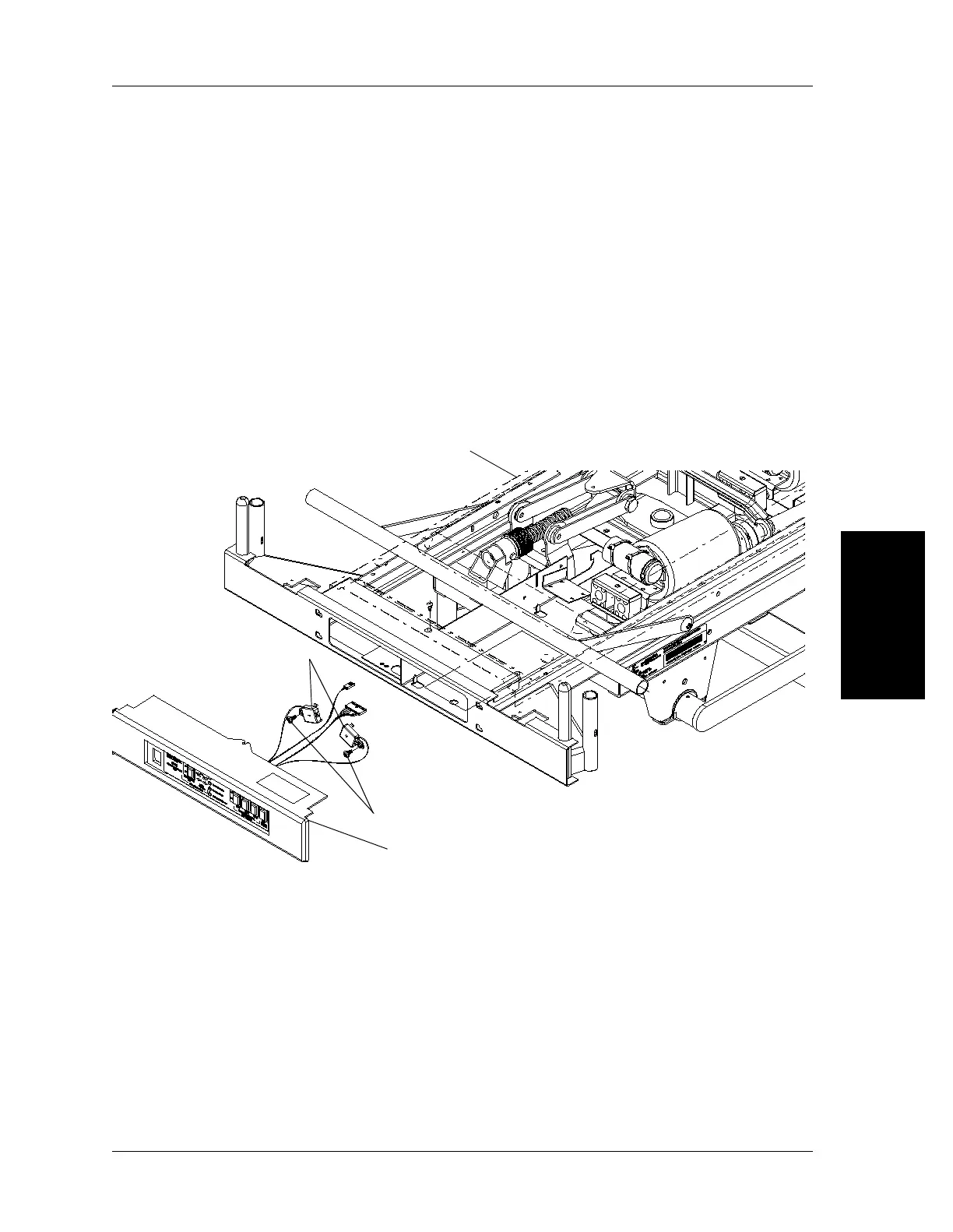
3. Slide the entire attendant control panel (C) to your left (see figure 4-41 on
page 4-73).
Figure 4-41. Attendant Control Panel Replacement
4. Using the phillips head screwdriver, remove the two limit switch mounting
screws (A) securing the two limit switch housings (B).
Replacement
Reverse the removal procedure for assembly of the attendant control panel.
C
Foot end
Motor cover
m038b133
A
B


 To Next Page