©2013 Hill-Rom Services, Inc. ALL RIGHTS RESERVED – INTL. Version
For detailed Warning and Caution statements, and operating instructions, refer to the Progressa™ Bed User Manual
Opti-Rest™
Opti-Rest™ mode offers increased comfort for
the patient while maintaining pressure relief.
It vents the chest, seat, and thigh zones,
producing a massaging wave-like action.
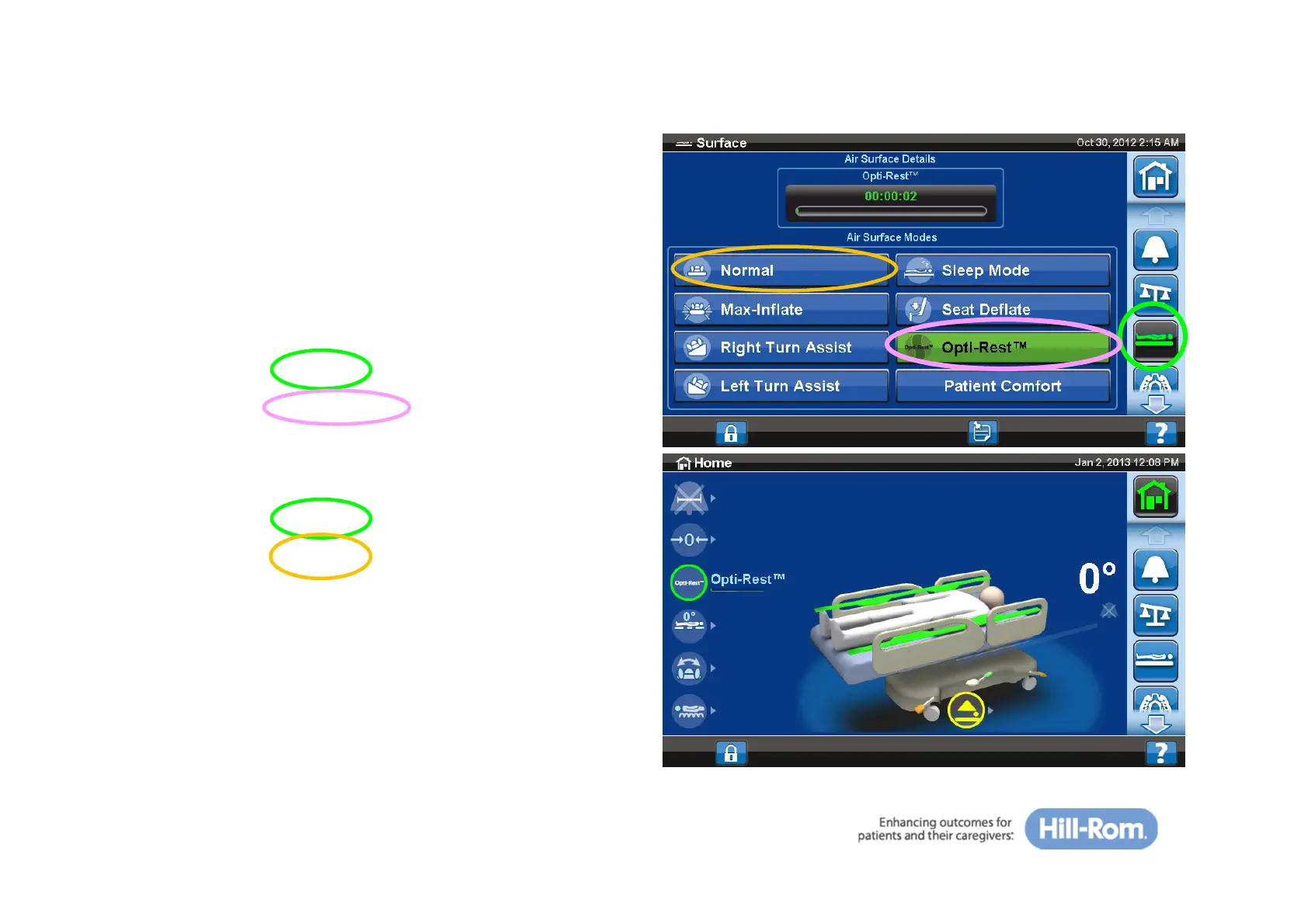
To activate:
• Press the ‘Surface’ tab on the GCI
• Press the ‘Opti-Rest™’ control
To deactivate:
• Press the ‘Surface’ tab on the GCI
• Press the ‘Normal’ control
32







 To Next Page