©2013 Hill-Rom Services, Inc. ALL RIGHTS RESERVED – INTL. Version
For detailed Warning and Caution statements, and operating instructions, refer to the Progressa™ Bed User Manual
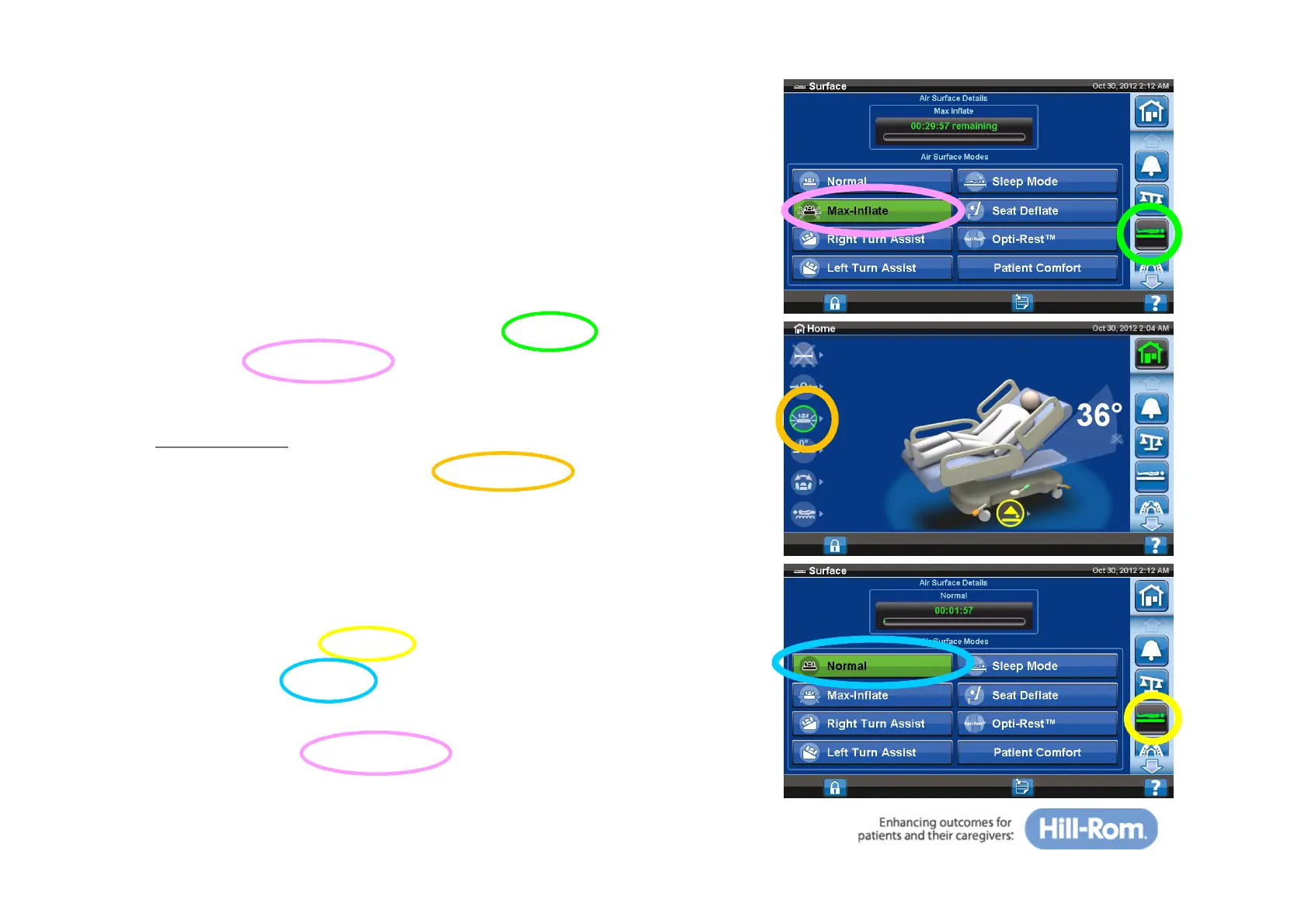
Max-Inflate
Maximizes the firmness of the primary section of the patient
surface. The bed will stay in max inflate for 30 minutes
before returning to normal/standard state.
To activate:
• On the home screen, select the ‘Surface’ tab
• Select ‘Max-Inflate’
Confirmation
• On the home screen, the “Max-Inflate” icon
will be highlighted when activated
To deactivate:
• On the home screen:
— Select the ‘Surface’ tab
— Select ‘Normal’
• On the upper side rail control:
— Press the Max-Inflate button
28







 To Next Page