Chapter 3 Installation | Hillstone
Hillstone SG-6000 E-Series Hardware Reference Guide
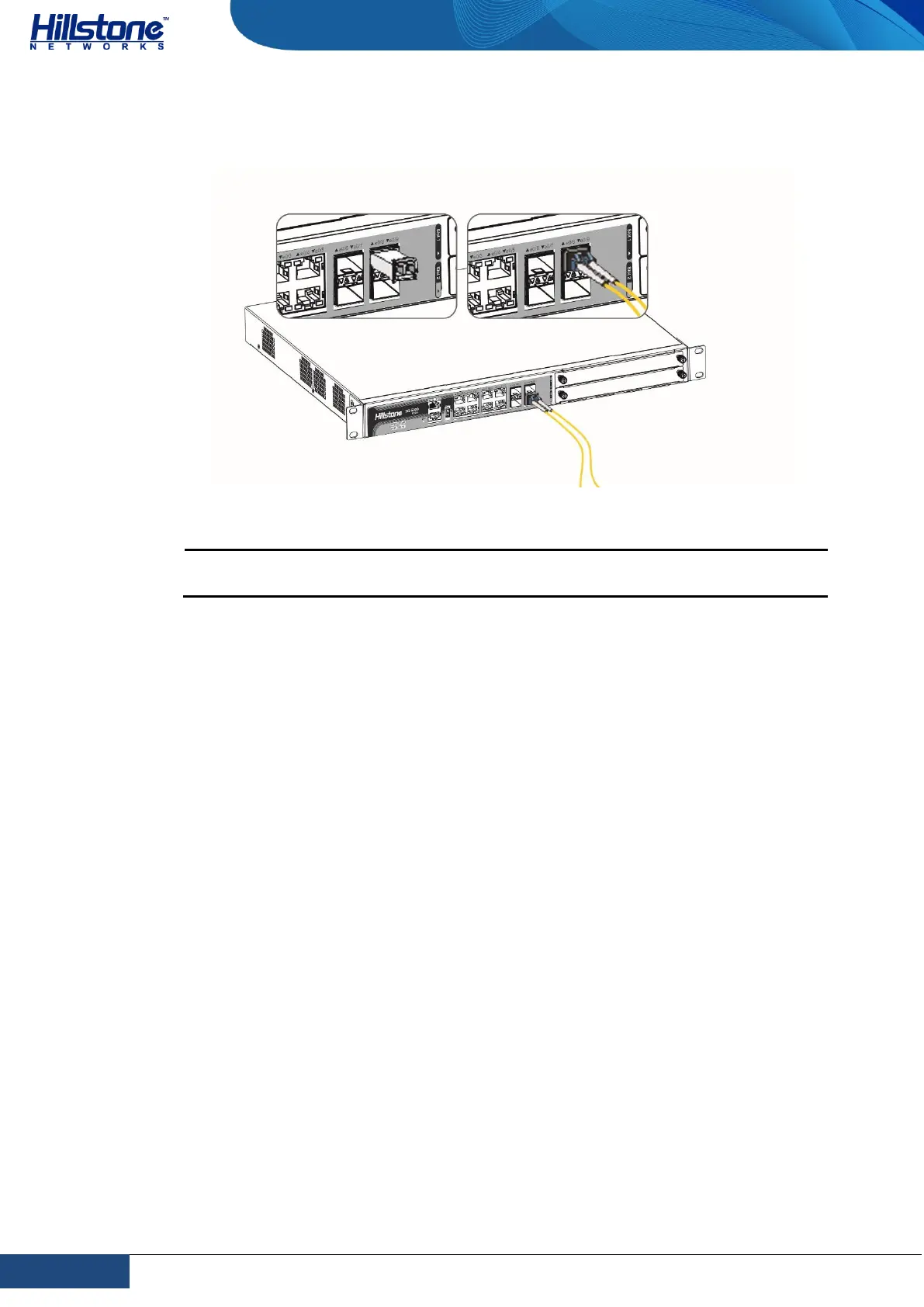
Keep the connector of the optical cable clean.
Figure 3-7: Connecting the Ethernet Fiber Cable
Warning: Laser danger! To protect your eyes from radiation harm, do not
stare into a cable connector connected to a laser generator.
Connecting an AC Power Cable
The AC power cable is shipped with the chassis. Prepare a single-phase three-
terminal power socket with a ground contact in advance. Normally, the ground
contact of the power supply system in a building was buried during construction
and cabling. Before connecting the AC input power cable, you must make sure that
the power socket is well grounded.
To connect the AC power cable, take the following steps:
1. Make sure the ground wire is reliably connected to the earth ground.
2. Make sure the power switch of the device is in the OFF position.
3. Connect the AC power socket of the power source using the AC power cable.
To connect more cables, repeat this step.
4. Power on the switch of the device.
5. Check PWR LED on the front panel. A shining LED indicates correct
connection.



 To Next Page