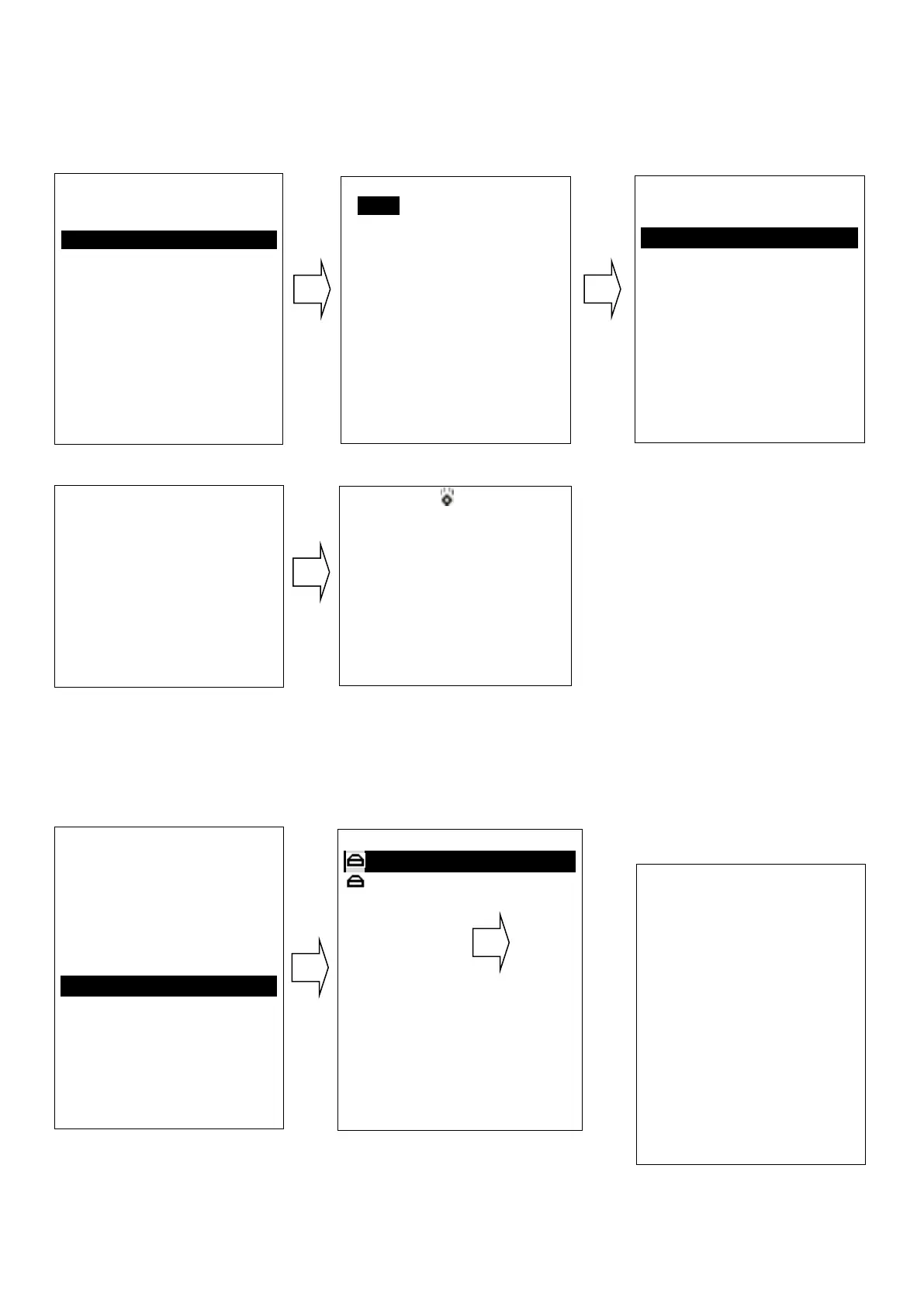
All Ship Call
Select the All Ship item
The All Ship Call is sent
Re
cei
ve
Ca
ll
Log
When received DSC, you can check those messages from
the “Distress Menu” and see the exact message
Send Call Log
Press
“CALL/MENU” key
to choose “Send Call Log” item and see previous distress
call, MOB call and other call that you have sent.
DSC Menu
Individual Call
Position Request
All Ship Call
Group Call
Test Call
Receive Call Log
Send Call log
Phone Book
DSC Setup
My MMSI ID
EXIT ▲ ▼ ENTER
All Ship Call
Safety
Urgency
EXIT ▲ ▼ ENTER
All Ship Call
To : All Ship
Safety
Telephone by
Channel 16
EXIT CALL
DSC USA
1W
16
SQL:2
VOL:4 DISTRESS
Elapsed 00:04
EXIT
Safety
Select Channel:
01 telephone
02 telephone
03 telephone
04 port ops
05 port ops/vts
06 safety
07 port ops
08 commercial
EXIT ▲ ▼ ENTER
DSC Menu
Individual Call
Position Request
All Ship Call
Group Call
Test Call
Receive Call Log
Send Call Log
Phone Book
DSC Setup
My MMSI ID
EXIT ▲ ▼ ENTER
Receive call log
Distress call
Others call
EXIT ▲ ▼ ENTER
Received DSC
Distress cancel
Undesignated
From: 123456789
GPS POS: Unknown
Time: Unknown
EXIT DELETE


 To Next Page