you can enter the up grade mode directly. LCD display as
below:
if you press and hold the"PTT"Key then power on, later
you can enter the writing channel mode directly. LCD
display as below:
TX Time Out
The transmission will be automatically turned off after PTT
key pressed over 5 consecutive minutes. The TX mode will
be terminated and back to Rx mode. Once the PTT key is
released, the TX time out timer will be reset. PTT key will
back to work normally.
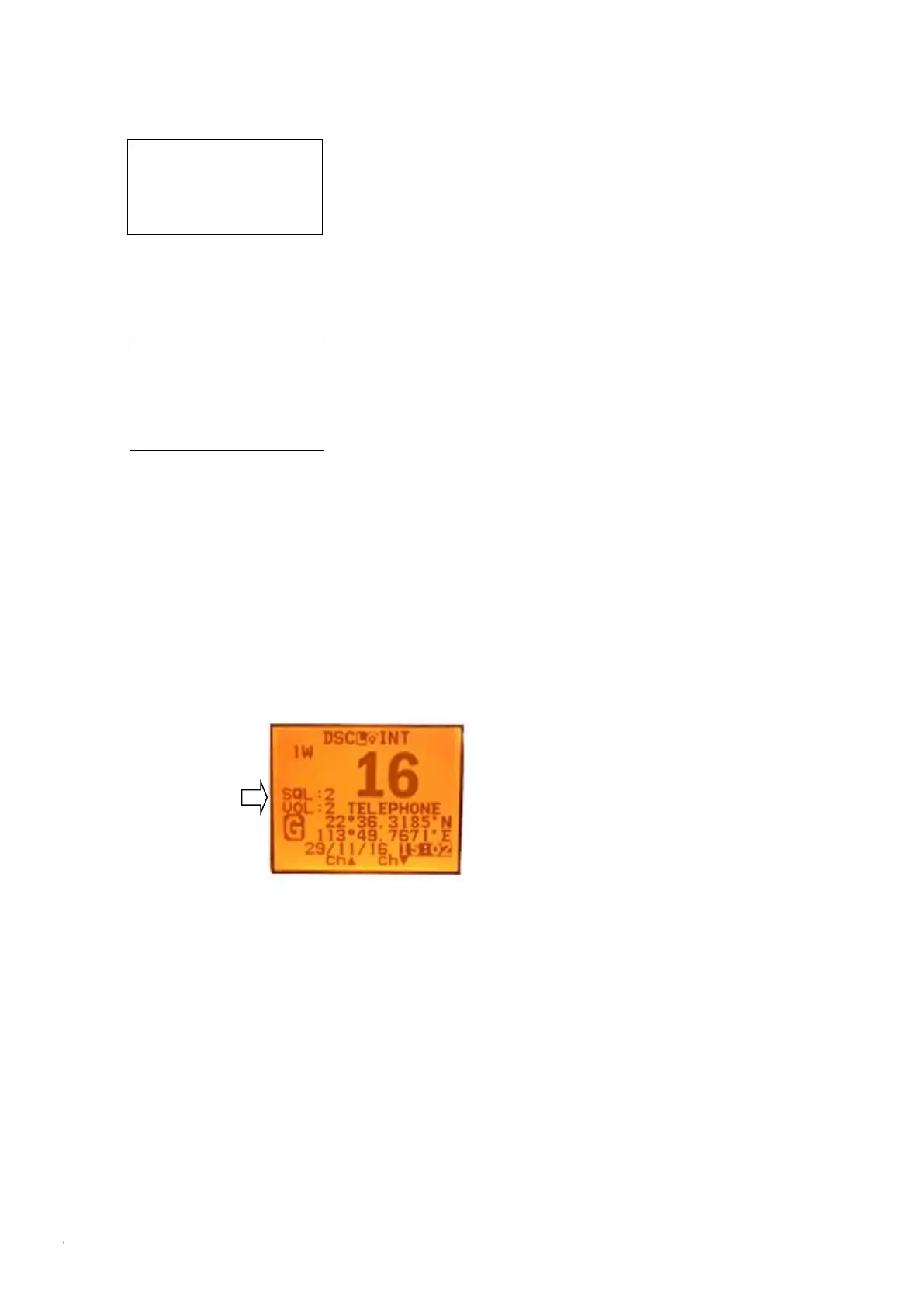
The Local Time & Date on Screen:
UTC time Local time
When HM390 cannot receive the GPS signal to display the
current position, screen will automatic display the time and
date. When radio received the GPS signal, screen will show
the current GPS location, related UTC time and date will
be shown below the GPS location mark.
Long press “Call/Menu” and enter “GPS Setup” to select
the “Time offset” item for setting user’s local time based
on UTC time. Then press “Enter” to confirm. User need to
pass the entire item from hour-minute-second then able to
see enter option to click and confirm.
In other words, the process is the same as your setup of
local time on your computer.
NMEA 0183 and NMEA 2000
The HM390S can be connected to both NMEA0183 and
NMEA2000 networks. When you connect your radio to
a NMEA 0183 network or a NMEA2000 network, the
following data can be transferred; the radio can receive
GPS position. GPS position can be displayed on the
screen and is transmitted with DSC calls. When GPS
data is not present, the radio will signal for you to enter
your position manually every four hours.When the GPS
data does not exist, the radio will signal you to manually
enter a position every four hours.
This setting indicates whether you are connected to a
NMEA 0183 or NMEA 2000 network; the radio can
communicate over two networks at the same time.
The interface used for NMEA0183 is RS232
Compass safe distance is 0.8m
The software’s
Upgrading by PC
Please wait----
The Private
Channels are
Cloning by PC
Please wait---


 To Next Page