Shenzhen Hingmed Medical instrument Co.,Ltd. (Enterprise Edition) 2020-11-18
Shenzhen Hingmed Medical instrument Co.,Ltd.
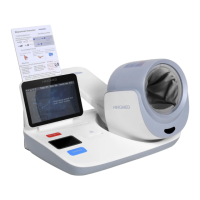
In the standby mode, press the button to start
measurement;
In the measurement state, press the button to stop the
measurement.
When an abnormality occurs, press the button to
restart the power supply and stop
measurement
Used to fix the arm during measurement
Printer cover plate button
Open the cover plate of the printer
Switch on or off power supply
Tap and hold on for 5S and then release to enter the
setting screen, press to switch setting items
3.3 Explanation of setting screen
3.3.1 LCD setting screen
-In the standby screen, tap and hold on the setting button "O" on the back of the
instrument for 5S, so as to enter the setting screen as shown in the figure above
-Press button "O" to move the cursor to switch items, press "△" or "▽" to numerical
addition and subtraction.
-Tap and hold on "O" again to exit the setting screen.
*In the non-setting screen, tap and hold on the setting button -△to switch on or off
printer. (Applicable to printer function)
3.3.2 LED setting screen



 To Next Page