Shenzhen Hingmed Medical instrument Co.,Ltd. (Enterprise Edition) 2020-11-18
Shenzhen Hingmed Medical instrument Co.,Ltd.
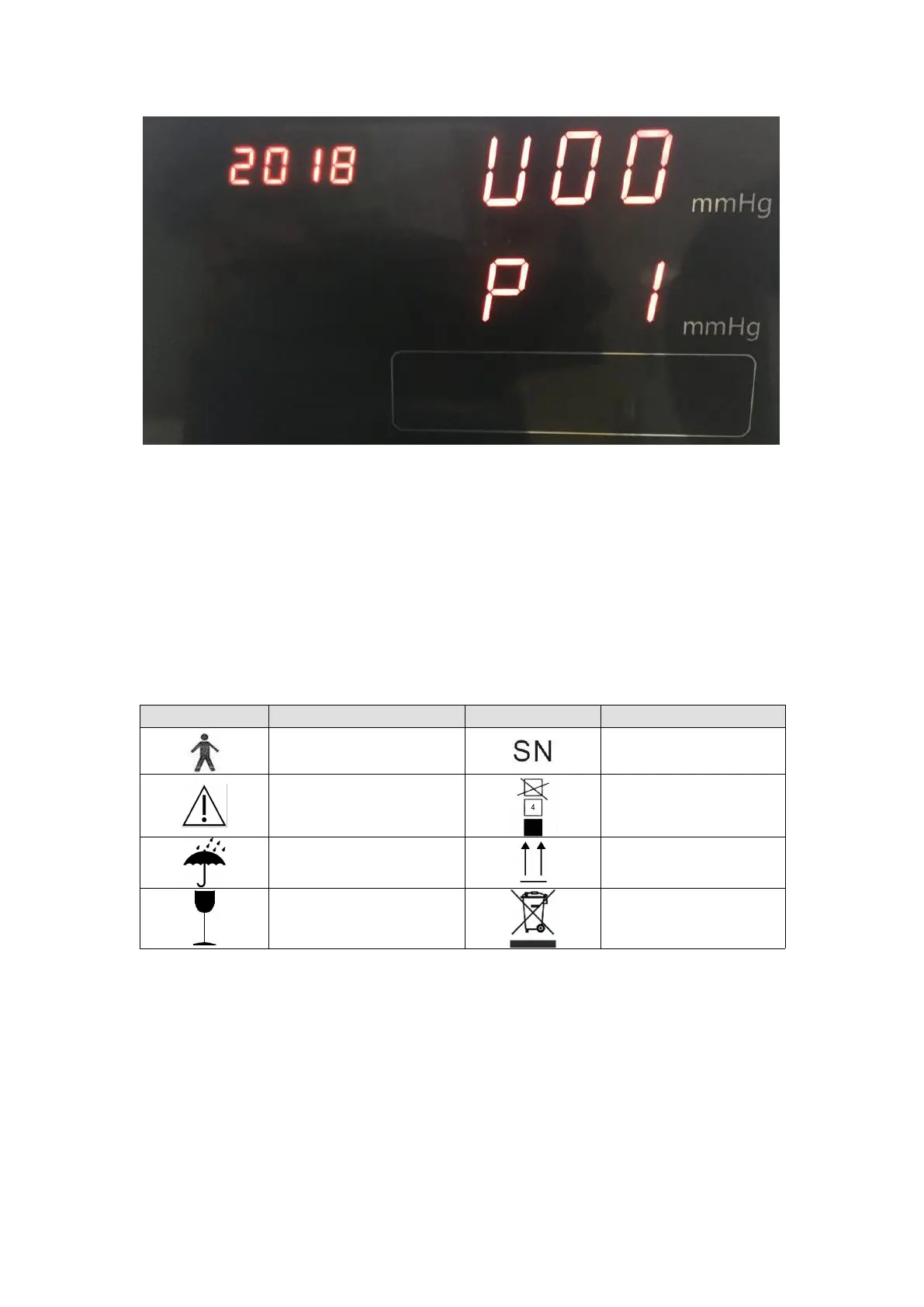
-In the standby screen, tap and hold on the setting button "O" on the back of the
instrument for 5S, so as to enter the setting screen as shown in the figure above
-Press the button "O" to move the cursor to switch items;
If the area corresponding to the time is flickering, the time can be set at present; if the
area corresponding to the systolic pressure is flickering, the volume can be set at
present, and the volume can be adjusted by △▽;
The area corresponding to the diastolic pressure is flickering, the printer can be set to
ON or OFF at present by △▽; (applicable to printer function)
3.4 Contents and meanings of labels
Note to check
accompanying documents
Moisture-proof storage
and transportation logo
Upward storage and
transportation identifier
Fragile storage and
transportation identifier
Severe
Moderate
Mild
Critical
Normal



 To Next Page