Shenzhen Hingmed Medical instrument Co.,Ltd. (Enterprise Edition) 2020-11-18
Shenzhen Hingmed Medical instrument Co.,Ltd.
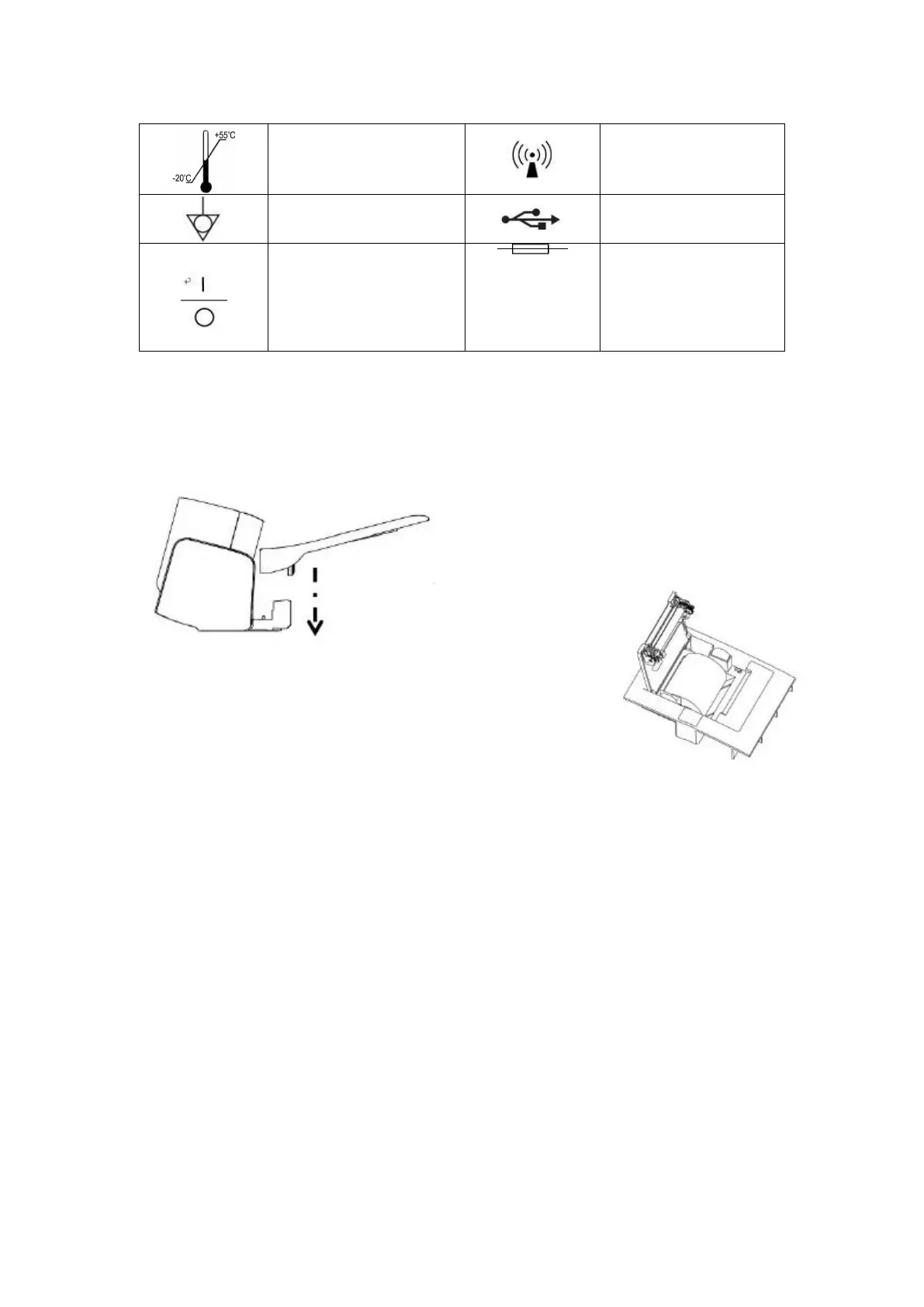
Temperature limit storage
and transportation
identifier
"1" on the power switch
of the instrument
indicates power-on, while
the "0" indicates power-
off.
4. Installation of product
4.1 Installation of wrist pad
As shown in the right figure, press the wrist pad down
vertically with reference to the arrow direction to
complete the installation of the wrist pad.
4.2 Installation of printing paper (model: DBP-01HP, DBP-01P applicable)
(1) Press printer cover plate button down to open the printer cover.
(2) Put the printing paper in the paper slot (as shown on the right figure).
(3) Lift up the edge of the paper, pass it through the paper exit hole, close the printer cover, and
make sure that the printing paper is exposed.
5. Measuring blood pressure
*********************************************************************
Warning: When you need to stop the measurement, please press the [Start/Stop]
button. Exhaust quickly to allow the cuff back to the original state.
*********************************************************************



 To Next Page