calculated automatically.
Operating the Equipment
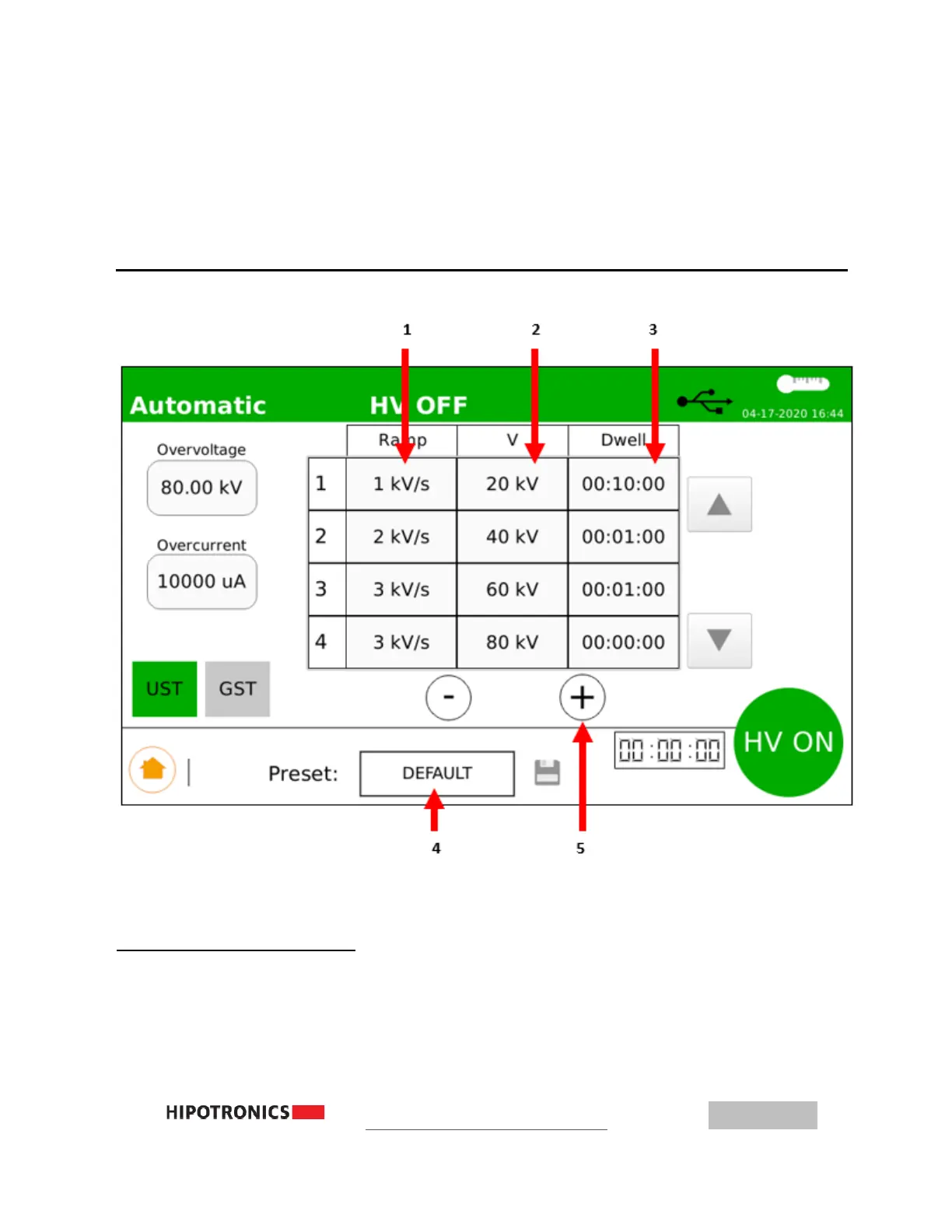
AUTOMATIC Test with Analog Meter Display
1
– Ramp Rate, select cell to edit 4 – Preset, select to load/view/save
2
– Target Voltage, select cell to edit 5 – Add or Remove steps
3
– Dwell Time, select cell to edit
Setting up an Automatic Test
1. Input Overvoltage and overcurrent level
2. Input Target Voltage: (0.1 → 80 kV)
3. Input Ramp Rate (0.1 → 3.0 kV per second)



 To Next Page