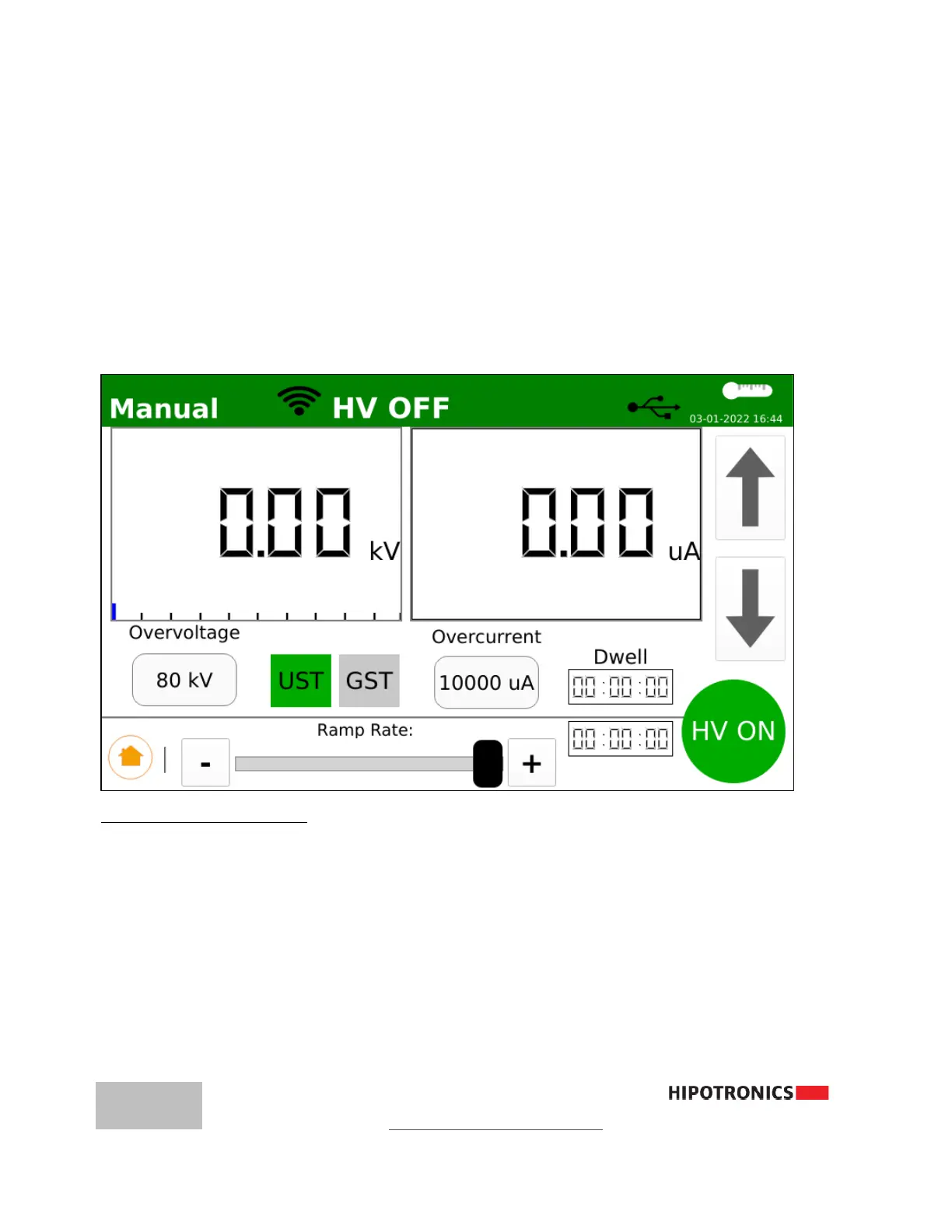
4. Input Dwell Time (00:00 → 60:00 min)
5. Add/Remove additional steps in multi-step sequence
6. Confirm GST or UST mode
7. After all parameters are entered, Press HV ON to start High Voltage and begin Test
The Test will end when the Target Voltage is reached and the Dwell Time reaches 0:00
or when the Max Leakage current limit is reached.
To turn off High Voltage at any time, press STOP, engage the E-STOP, or open the
Interlock Circuit.
MANUAL Test with Analog Meter Display
Setting up a Manual Test
1. Input Overvoltage (0.1→ 40kV)
2. Input Overcurrent (0.1 → 10,000µA or 0-10mA)
3. Confirm UST or GST mode
4. Press HV ON
5. Turn Rotary Knob or touch Up-Arrow button to activate and adjust High Voltage
To turn off High Voltage at any time, press STOP, engage the E-STOP, or open the
Interlock Circuit .



 To Next Page