1
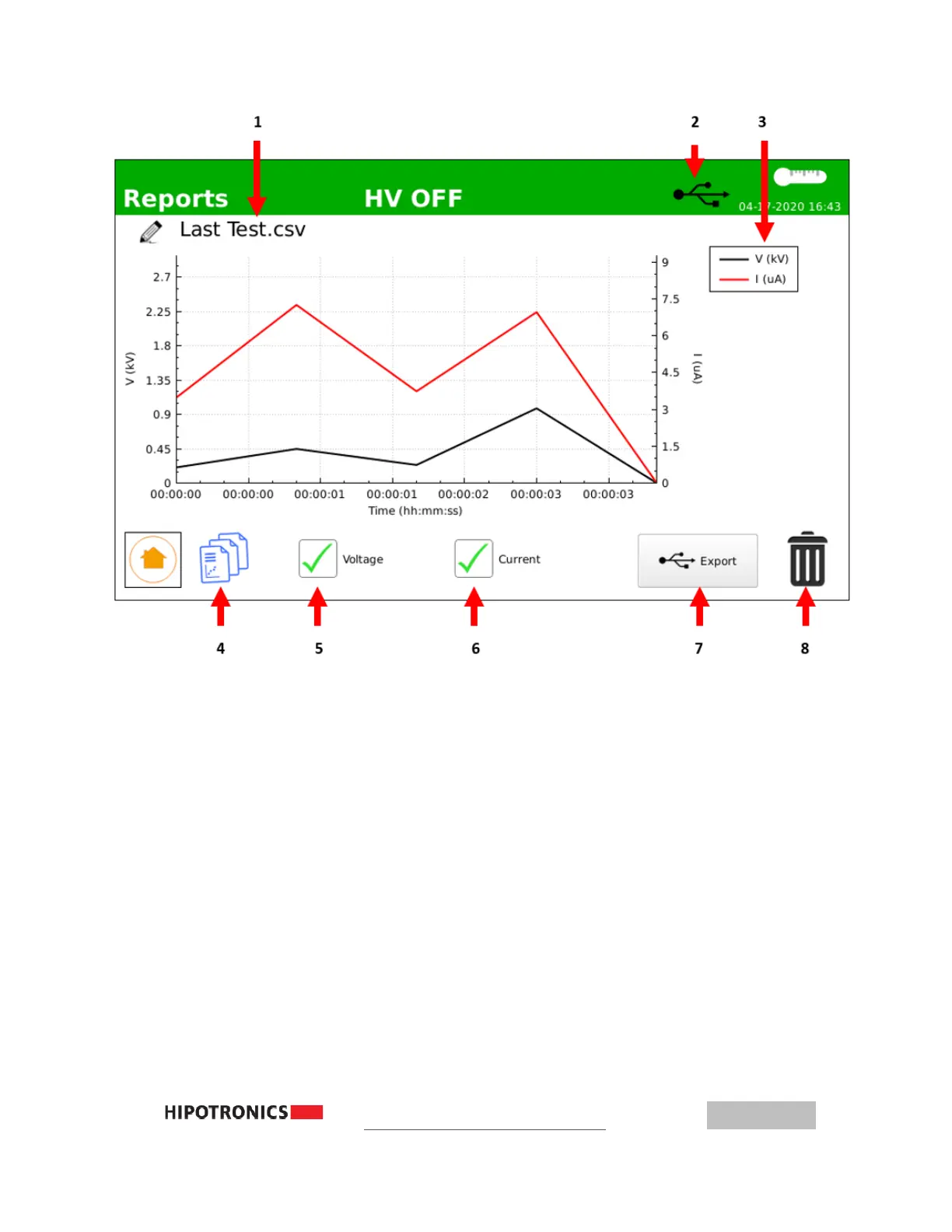
– Name of Saved Test Report, click to edit 4 – Return to Reports List
2
– USB Drive Detected, if shown 5 – Voltage Display, press to toggle
3
– Graph Legend 6 – Current Display, press to toggle
7 – Export Report to USB Drive, if detected
8 – Delete test report
(f)
Exporting Test Reports
To export test reports, insert a portable USB drive formatted to FAT32. If the USB
drive is detected, the USB symbol will display in the top bar. From the test report
screen, touch the ‘Export’ button, which will be active only if a USB drive is
detected. A message should appear to confirm successful transfer. The files
transferred will be an image of the graph (in .png format) as well as the raw data
used to calculate (in .csv format).



 To Next Page