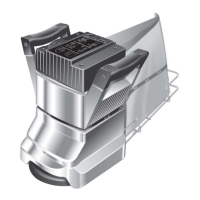
Fitting a new Switch Multi-Speed (Ref.7)
1. To replace the Switch Multi-Speed Ref.7 remove
the four Screws Ref.86 from the Switch Housing
Ref.11. Carefully lift the Switch Housing clear of
the Handle Tube Ref16. Take care to avoid
damage to the rubber ‘O’ ring Gasket Switch
Housing Ref.10.
The Switch Multi-Speed Ref.7 is connect to the
Controller Multi Speed Ref.9 via a ribbon cable.
Take care not to stretch or pull this cable.
2. Carefully disconnect the ribbon cable from the
Controller Switch Multi-Speed Ref.9 by pushing
the two end clips outwards.
3. Remove the six Screws Ref.8 from the Switch
Multi-Speed and remove the component from
the Switch Housing.
4. Place the new Switch Multi Speed in the Switch
Housing and secure using the six Screws Ref.8.
Do not over tighten the screws.
5. It is recommended that a new Gasket Switch
Housing Ref.10 is fitted. Carefully place the
Gasket in the rebate on the back of the Switch
Housing.
6. Reconnect the ribbon cable to the Controller
Multi-Speed. Ensure that the connection is free
of dust, carefully align the ribbon cable plug and
push down until the two end clips lock into
position.
7. Place the Switch Housing on the Handle Tube
taking care not to trap the ribbon cable or
dislodge the Gasket Switch Housing.
8. Replace the four Screws Ref.86.
9. Carry out electrical and function tests (see page
13 Electrical Testing).
Fitting a new Controller Multi-Speed (Ref.8)
Note: Refer to the Circuit Diagram on page 19.
1. To replace the Controller Multi-Speed Ref.9
remove the four Screws Ref.86 from the Cover
Switch Ref.11. Carefully lift the Cover Switch
clear of the Tube Handle Ref.16. Take care to
avoid damage to the rubber ‘O’ ring Gasket
Ref.10 The Switch Multi-Speed Ref.7 is connected
to the Controller Multi-Speed via a ribbon cable.
Take care not to stretch or pull on this cable.
2. Carefully disconnect the ribbon cable from the
Controller Ref.9 by pushing outwards on the two
end clips positioned each side of the ribbon
cable socket. Place the Cover Switch Assembly to
one side.
3. Disconnect the Cable Main Ref.39 and remove it
together with the Strain Relief Ref. 5 Release the
Cable Handle Strain Relief Ref.18 and remove
the Earth (Ground) Terminal from the Cable
Handle termination at the top of the Tube Handle
Ref.16).
4. Remove the 6 Screws and Washers Ref.12 from
the back of the Tube Handle to release the
Controller Ref.9 You will note that the controller
appears to be ‘stuck’ into position, this is due to
the ‘Heat Sink Compound used to ensure good
thermal contact between the two components.
Carefully lever the two components apart taking
care not to damage the Tube Handle Ref.16.
5. Disconnect the Cable Handle to Motor Output
Terminals and remove the controller.
6. Thoroughly clean the inside of the Tube Handle
Ref.16 ensuring the all traces of the old Heat Sink
Compound are removed.
7. Carefully apply a thin layer of Heat Sink
Compound Ref.13 to the back of the new
Controller. Take care to ensure only a very thin
layer is applied evenly over the entire rear
surface, do not over apply.
8. Connect the Cable Handle to Motor Output
Terminals and position the two cablesAC
alongside the controller so that they will be
available for connection later. (see diagram on
page 19).
9. Carefully place the new controller into position
taking care to line up the 6 mounting holes with
the holes in the Tube Handle, secure it into
position with the 6 Screws and Washers Ref.12.
10. Carefully following the Diagrams reconnect the
Cable Main and the Earth (Ground) Terminal
from the Cable Handle, taking care to correctly
fit the two Strain Reliefs Refs. 5 and 18 to ensure
that the cables are properly secured.
11. Examine the Cover Switch Assembly, if the ‘O’
ring Gasket Ref.10 is damaged in any way
replace it by carefully placing the new gasket into
position in the groove provided on the underside
of the Cover Switch Ref.11 You may find that
using a little adhesive such as ‘super glue’ will
help hold the gasket into position during re-
assembly.
12. Reconnect the Switch ribbon cable to the
controller by pushing it into position and noting
that the two clips positioned at each side of the
socket lock inwards securing the ribbon cable
plug.
13. Place the Cover Switch Assembly onto the Tube
Handle and line up the four mounting holes,
taking care to avoid trapping any leads or
dislodging the Gasket. Secure it into position with
the 4 screws Ref.86
14. Carry out electrical and function tests (see
Electrical Testing on page 13).
12


 To Next Page