Page 7
TV label Port Cable External Equipment Brief Description
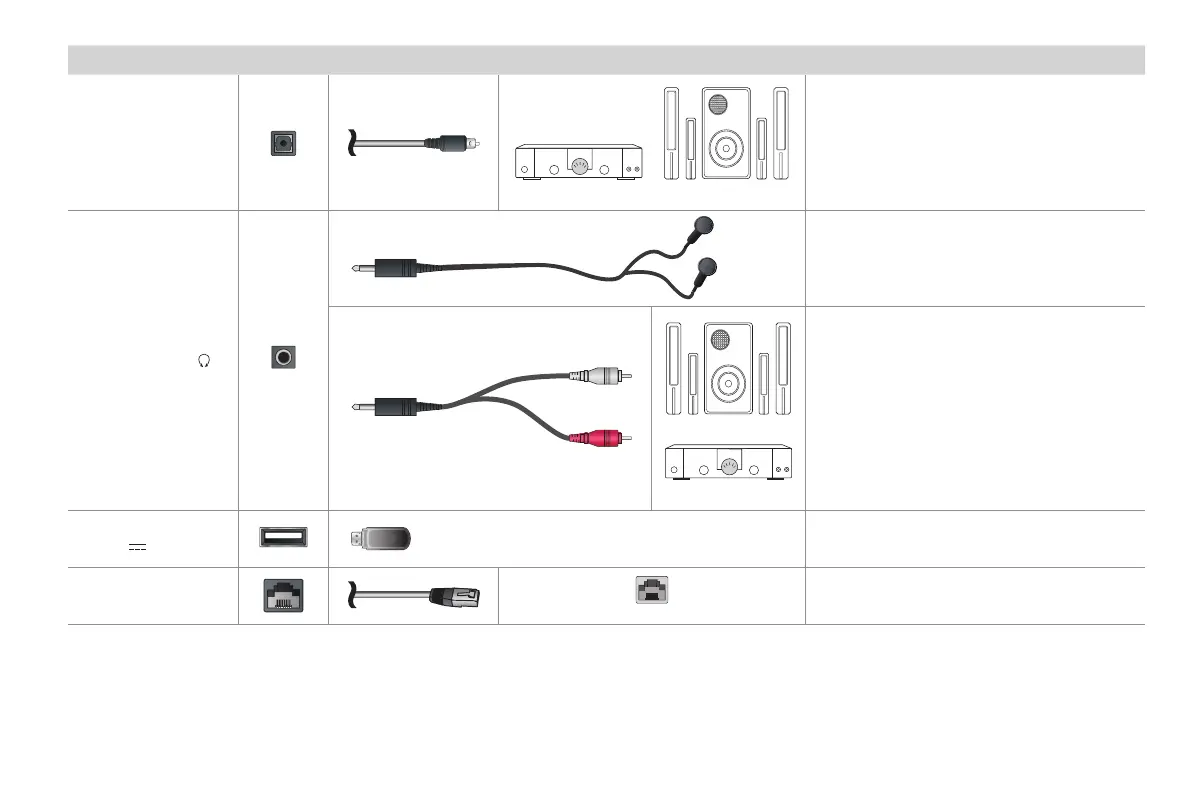
DIGITAL AUDIO OUT
SpeakerAudio Amplier
Connect an optical cable from an external
digital audio system.
AUDIO OUT /
Connect headphone for audio out of the TV.
Speaker
Audio Amplier
Connect an audio adapter (not provided) from
an external analog audio system.
USB
DC 5V 0.5A(MAX)
Connect a USB device for browsing photos,
music and movies.
LAN
LAN
Connect an Ethernet cable to access a
network or the Internet. The TV also has a
wireless connectivity feature.
White
Red


 To Next Page