EasyManua.ls Logo

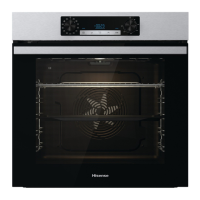
Hisense BI3221ABUK - User Manual

Hisense BI3221ABUK
56 pages
Print Icon
To Next Page IconTo Next Page
Loading...
GB
DETAILED
INSTRUCTIONS
FOR USE OF THE
ELECTRIC OVEN
IE
MT

Questions and Answers

  • M
    mark71Aug 9, 2025
    What to do if Hisense BI3221ABUK displays an error code (E1, E2, E3 etc.)?
    • K
      Keith StoneAug 9, 2025
      If your Hisense Oven is displaying an error code such as E1, E2, or E3, this indicates an error in the electronic module operation. Try disconnecting the oven from the power mains for a few minutes, then reconnect it and set the time. If the error persists, it may require a service technician.
  • B
    bentonbriannaAug 18, 2025
    What to do if there is no response of the sensors and the display is frozen on Hisense BI3221ABUK Oven?
    • W
      wallsbrandonAug 18, 2025
      If the sensors of your Hisense Oven are unresponsive and the display is frozen, disconnect the appliance from the power mains for a few minutes by either undoing the fuse or switching off the main switch. After a few minutes, reconnect the appliance and switch it back on.
  • Q
    qshafferAug 29, 2025
    Why is my pastry underdone in Hisense Oven?
    • S
      Samantha MoralesAug 29, 2025
      If your pastry is underdone in the Hisense Oven, ensure that you have selected the correct temperature and heating system for your recipe. Also, verify that the oven door is completely closed during operation.

Summary

IMPORTANT SAFETY INSTRUCTIONS

General Safety Precautions

Essential safety guidelines for operating the electric oven.

Connection and Usage Precautions

Guidelines for safe and correct connection and usage of the appliance.

PREPARING FOR FIRST USE

Initial Setup and First Heating

Steps for unpacking, cleaning, and the first initial heating of the oven.

COOKING PROCESS STEPS

Step 1: Switching On and Setting Clock

Procedure for turning on the oven and setting the time of day.

Step 2: Choosing Cooking System

Guide to selecting the appropriate cooking mode for various foods.

Step 3: Adjusting Cooking Temperature

How to set the desired temperature for the oven.

Step 4: Additional Functions

Activating child lock and other additional functions.

Step 5 & 6: Starting and Stopping Cooking

Instructions for starting and stopping the cooking process.

TROUBLESHOOTING

Common Problems and Solutions

Table listing common errors and their causes and solutions.

Hisense BI3221ABUK Specifications

General IconGeneral
GrillYes
Oven sizeMedium
Oven typeElectric
Number of ovens1
Reheat functionNo
Total oven power- W
Number of shelves2 shelves
Oven net capacity- L
Full surface grill-
Number of cooking programs9
Total oven(s) interior capacity71 L
Current13 A
Connected load2700 W
Energy efficiency scaleA+++ to D
Energy consumption (conventional)0.92 kWh
Energy consumption (forced convection)0.81 kWh
Door hingedown
Control typeTouch
Display typeLED
Door materialGlass
Product colorBlack
Control positionTop front
Appliance placementBuilt-in
Package depth680 mm
Package width635 mm
Package height691 mm
Package weight33600 g
Clock typeElectronic
Timer typeDigital
Weight and Dimensions IconWeight and Dimensions
Depth547 mm
Width597 mm
Height595 mm
Weight29300 g
Installation compartment width- mm

Related product manuals