General settings
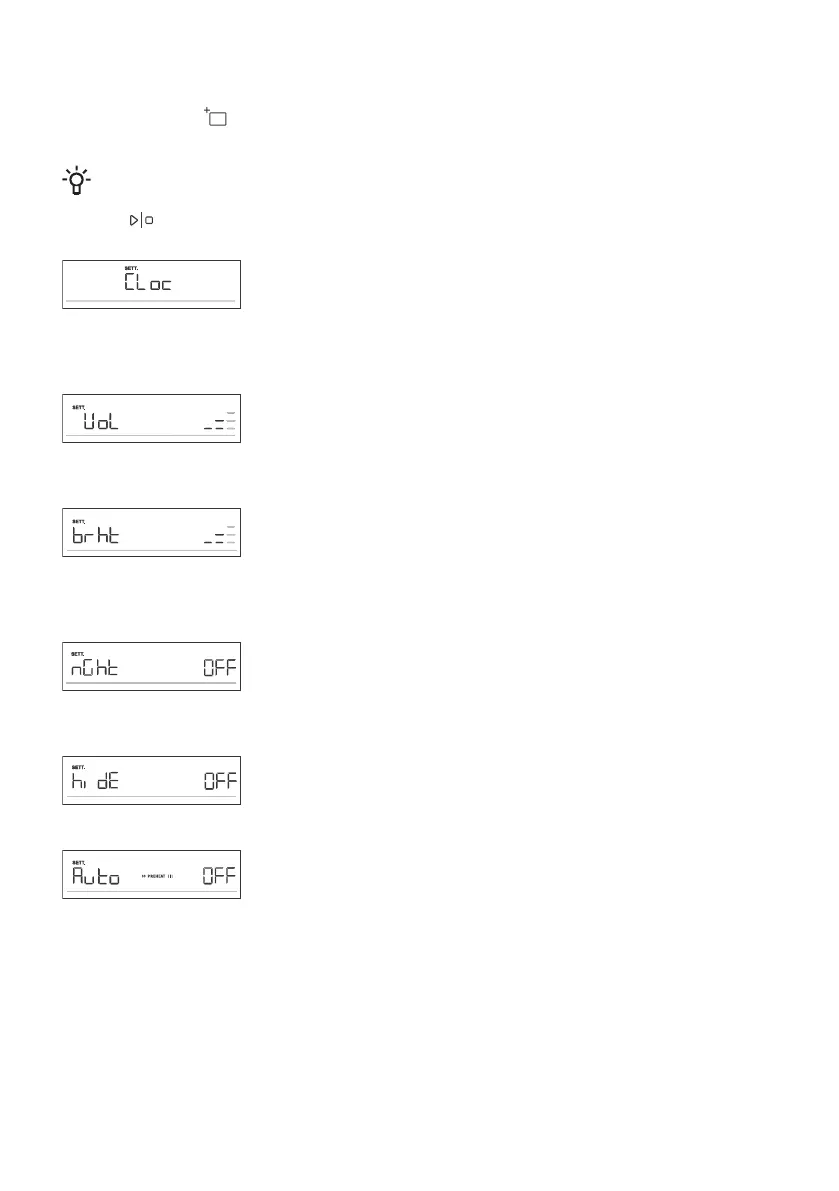
Press and hold the key. SEtt will appear on the display unit for a few seconds. Then, the general
settings menu will appear.
INFORMATION!
Rotate the KNOB to scroll through the settings. Confirm each setting by pressing the KNOB or
the key.
Clock display
Rotate the KNOB to set the clock. CLoc will appear on the display unit.
After confirming, you can choose between the 12h and 24h clock display.
Confirm, then set the clock/time of day. First, set the minutes. Confirm,
and then set the hours and confirm again.
Acoustic signal volume
Choose between three acoustic signal volume levels. Rotate the KNOB
to choose the VoL setting. Confirm the setting and set the volume. There
are four available volume levels (zero bars – OFF, one, two or three bars).
Display illumination
Choose between three levels of display light intensity. Rotate the KNOB
to select the brht setting. Confirm your selection and choose lower or
higher intensity. There are three available illumination levels (one, two or
three bars).
Display unit – night mode
This function will automatically dim the display (switch from high to low
display illumination level) during night time (8:00 p.m. to 6:00 a.m.).
Choose the nGht setting. Rotate the KNOB to switch On or OFF.
Standby
This function switches the clock display on or off. Select the hidE setting.
Rotate the KNOB to switch On or OFF.
Automatic fast preheating
This function allows automatic addition of fast preheating to the baking
systems that allow it.
Rotate the KNOB to select the Auto setting. Choose On or OFF.
27




 To Next Page