4
Installing the Stand or Wall mount bracket
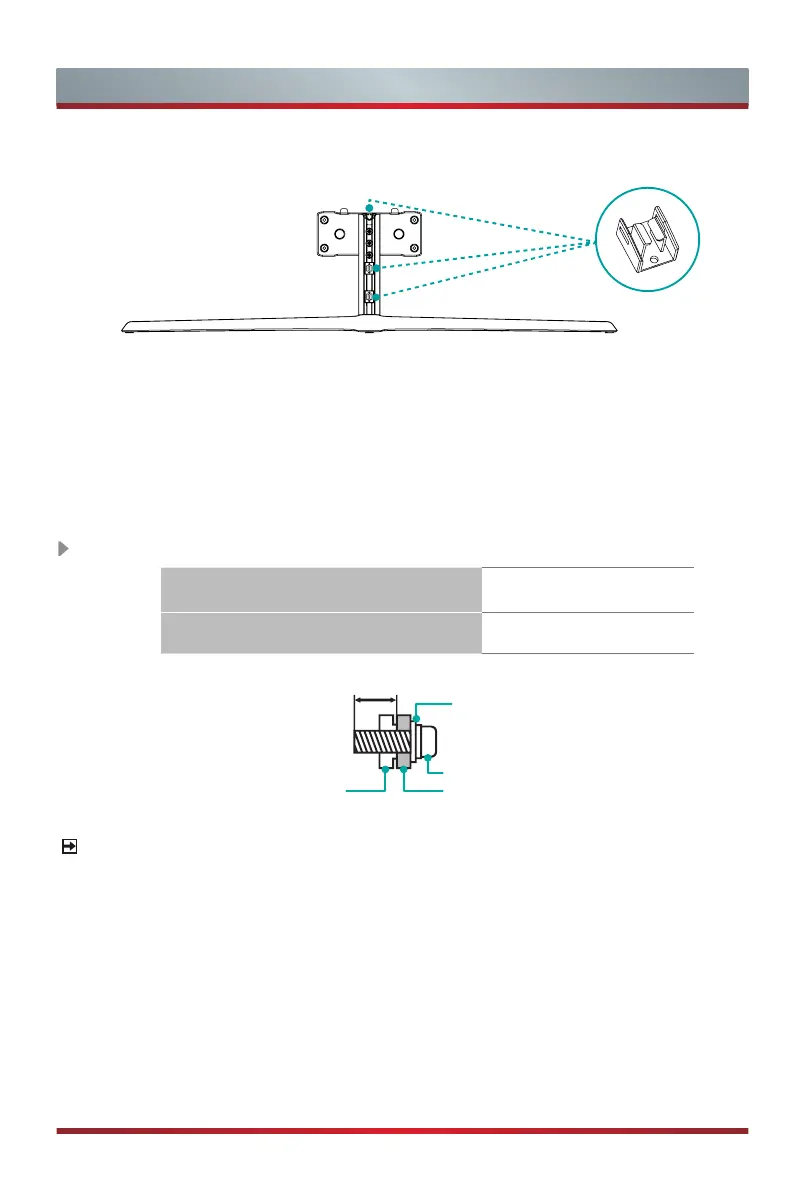
2. The three Cable Clamps in the Column Base will help you to arrange the power
cable.
3. After nish arranging the power cable, install the Top Cap and Side Cap back to the
Column Base.
9.5 -11.5 mm
Wall mount bracket
(not provided)
Screw (not provided)
Spacer (not provided)
Rear cover of the TV
Wall mount hole pattern VESA (mm) 400 × 200
Wall mount screw size (mm) M6
The diameter and length of the screws differ depending on the wall mount bracket model.
Follow instructions provided with the Wall mount bracket.
NOTE
Installing the wall mount bracket (not included)
Cable Clamp


 To Next Page