SD/M S/MMC
card
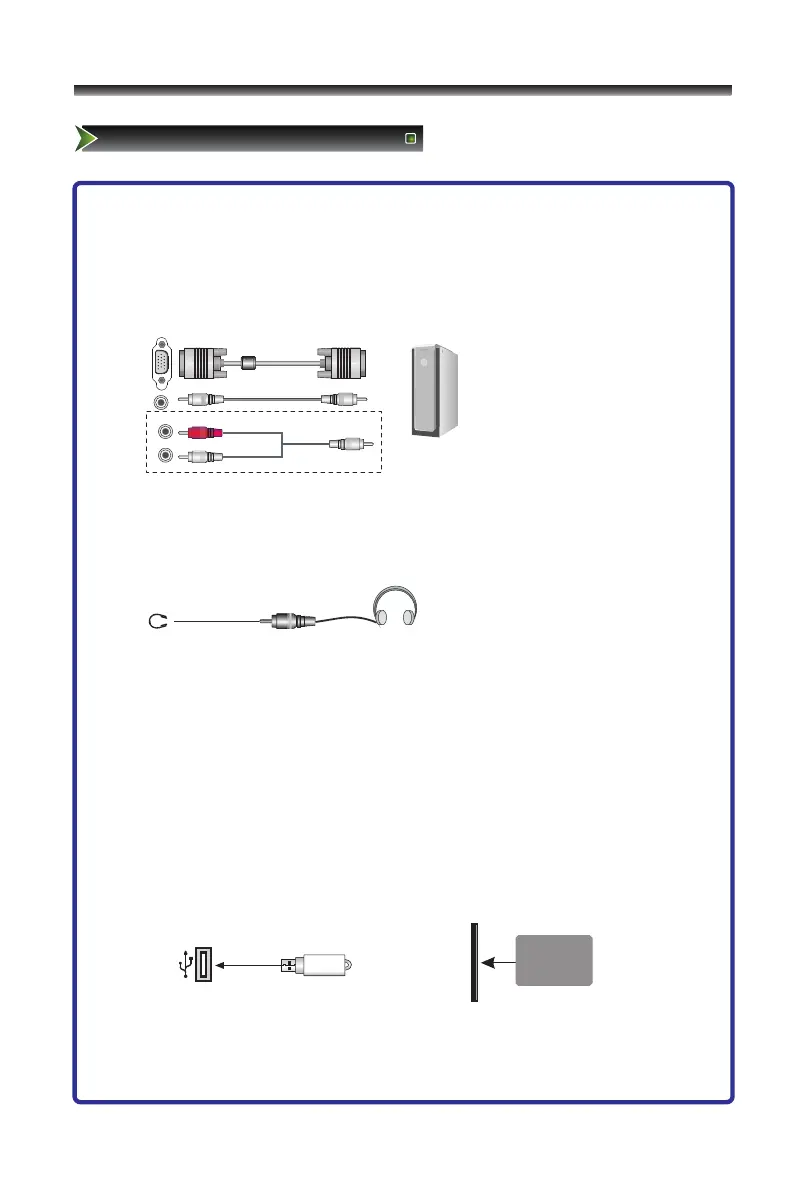
6. Connect to PC
- Connect the D- Sub cable to “VGA” on the rear of your set and the other end to the
Video Card of your computer.
- Connect the stereo audio cable to “PC AUDIO ” on the rear of your set and the other
end to “Audio Out” of the sound card on your computer.
Note: For some sets "PC AUDIO" share with component.
7. Connect to headphone
- Connect the headphone jack of the TV set.
The volume of the headphone is automatically adjusted with the main volume of the
TV set.
8. DVD slot
- The set can play DVD/CD/VCD disc. Please see the detailed specification
below.(P22-27)
9. Connect to devices with USB and SD/MS/MMC card slot
- When you insert the SD/MS/MMC card or connect the standard USB1.1 and USB2.0
U disks, you can see the JPEG files of card and disks(First select the DVD source,
then press P-Scan key to select USB or SD/MS/MMC).



 To Next Page