16
MR6DE User Manual
Making Connections
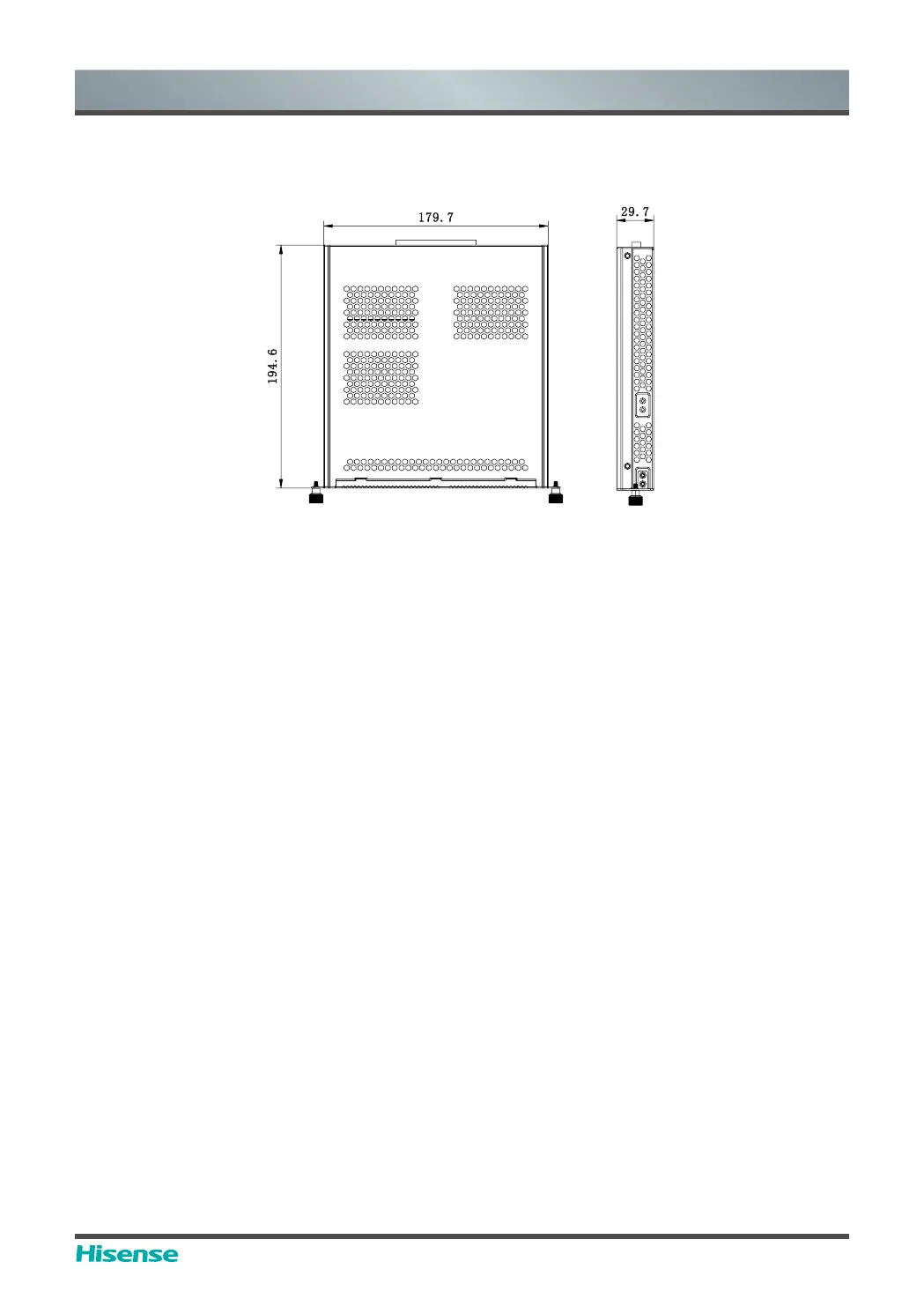
You should purchase the OPS module which is applicable to the size of the device OPS. The
size of OPS refers to the following figure:
[Instructions]
After installing the OPS module, when the signal source adopts the computer channel, the
touch screen of the complete machine uses OPS as the touch host by default. After Touch
connects the external computer, the external computer serves as the touch host, and the signal
source should be switched to the display channel of the external computer for touch.
To guarantee stable operation of the complete machine and the OPS module, please purchase
the right type of OPS module. Otherwise, the OPS module cannot work normally because the
failure to adapt structures and software.
Switching on/off the OPS
After inserting OPS to the device, you turn on the device, change the signal source to enter
OPS and stays on the OPS syetem interface. When you turn off the device, you should use the
standby button to go into standby mode, the OPS module is switched off, and then you shut off
the device.



 To Next Page