20
MR6DE User Manual
Getting Started
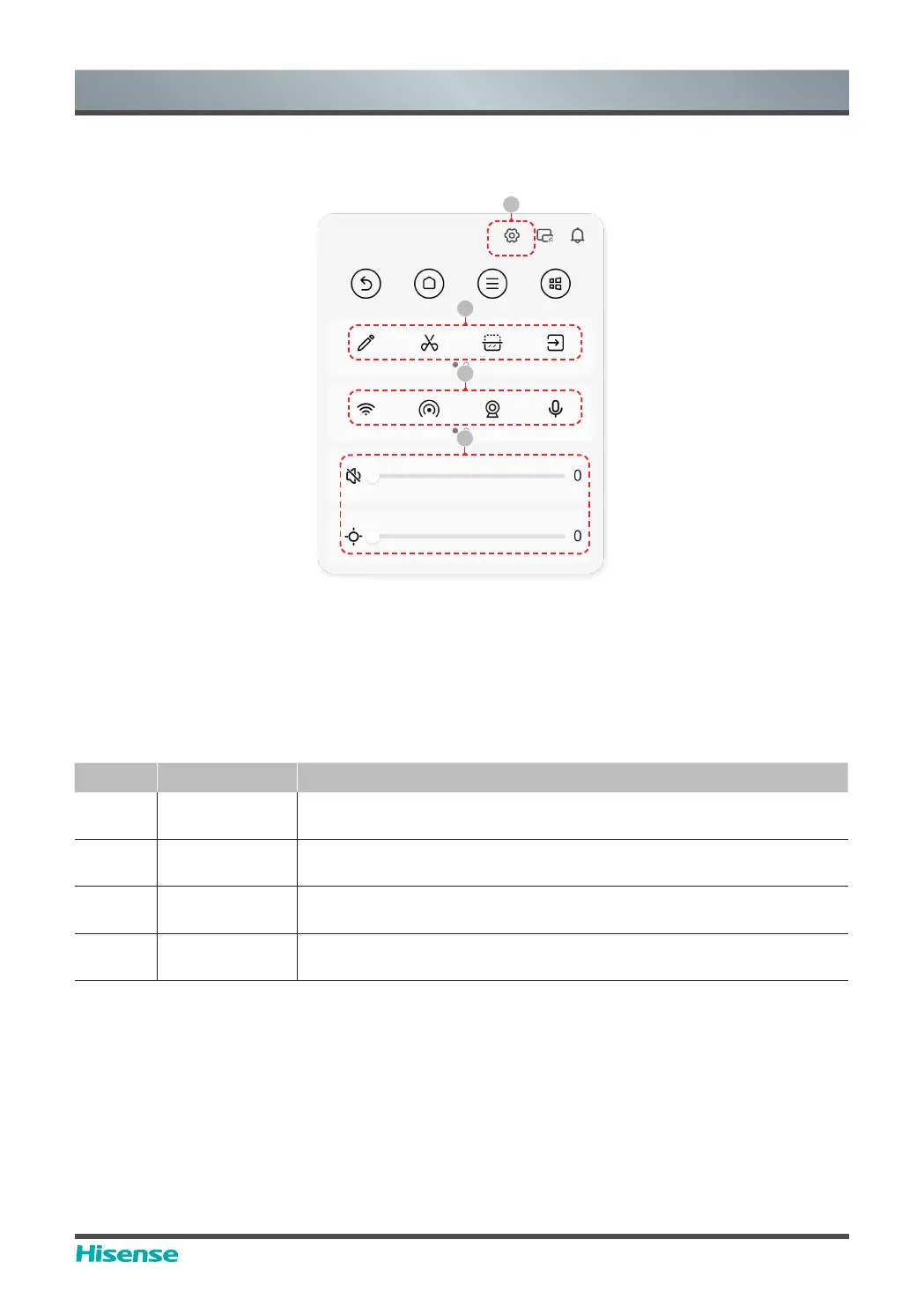
5.3 Sidebar
Invoking method
Click arrow menu on both sides of the screen to invoke the sidebar menu.
Menu introduction (specific contents vary from scenes to scenes)
Number Function Description
1 Setting menu
Click it to open the setting menu of this machine and conduct
operation according to the prompt
2 Gadgets
Click it to invoke gadgets like notes, screenshot, semi-screen display,
signal source, etc
3
Shortcut
operation
Click it to operate functions quickly, such as network switch, camera
switch, microphone switch, etc
4
Luminance,
volume
Click it to quickly adjust the luminance and volume of the device
1
2
3
4



 To Next Page