13
MR6DE User Manual
Making Connections
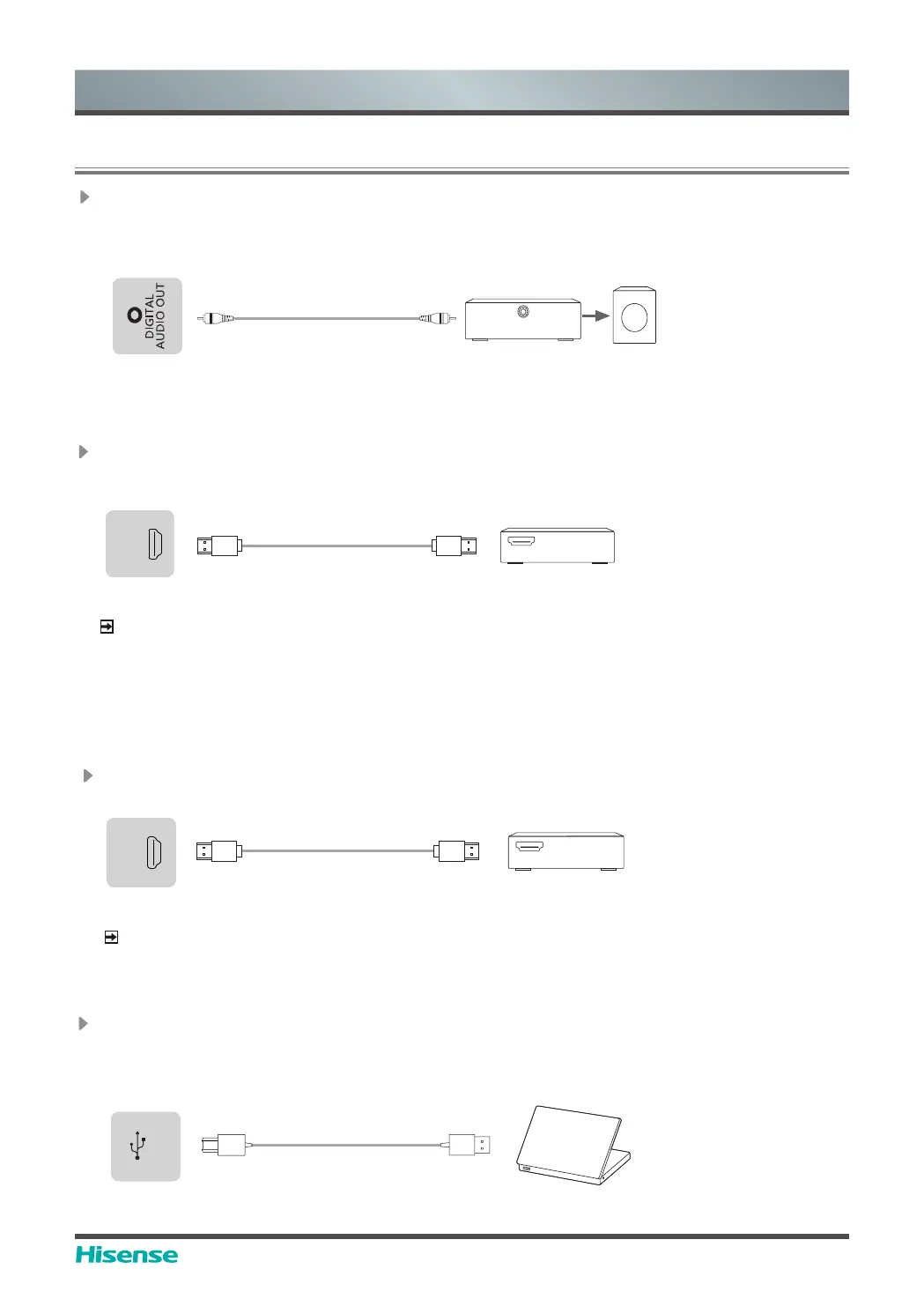
Connect to external audio device
Digital audio output: connect to power amplifier via coaxial port, then connect power amplifer to
speaker.
Device port
&RQQHFWSRZHUDPSOL¿HUWRVSHDNHU
3RZHUDPSOL¿HU
Speaker
Coaxial port
Connect to HDMI output
Connect the HDMI output connector of the device to the HDMI input port of an external device.
NOTE
When using it as a screen monitor, carefully read precautions for still image of the device.
VCR/Screen monitor
HDMI
HDMI in
Device port
HDMI OUT
Connect to HDMI input
Connect the HDMI input connector of the device to the HDMI output port of an external device.
NOTE
The supported signal formats of the HDMI port refer to Specifications.
It is recommended that HDMI2.0 4K HD wire should be used. The wire length should be less
than 10m. When using other non-standard wires, malfunctions caused by signal transmission
problems attributable to the wire quality problem may occur.
Set-top box/player/PC/DVD
HDMI
HDMI out
Device port
HDMI IN
4. Making Connections
Connect to TOUCH interface device
It is the touch screen interface used for an external PC as touch host. In the HDMI channel, the
device is used as a touch unit by default
When connecting, USB cables not longer than 1 meter should be used to connect with the
external PC.
Device port
TOUCH
USB
PC



 To Next Page