5
Moving the unit or carrying by hand
When the unit is moved a long way, unplug the power cord and disconnect the antenna, con-
necting cables and any fall-prevention apparatus.
• Moving without doing so could result in damage to the power cord, a fi re, electric shocks or injuries
from dropping the unit.
When the TV stand has casters, remove caster cups from the stand and push it while supporting
the unit.
• Ensure that you support the unit when the stand is pushed, as this can cause the unit to fall and
you could be injured.
• The appliance could leave indentations in wooden tables with extremely soft wooden surfaces due
to its heavy weight.
• Furniture polish could corrode and dissolve rubber feet. Black imprints could be visible on the
table. You should therefore only use TV benches, which have been constructed for this specifi c
purpose.
Secure the casters when the unit is installed on a TV stand with casters.
• The stand can move and you could be hurt if the casters are not secured.
Remove casters when the stand is placed on a soft surface such as a mat and carpet.
The distance between eyes and the screen should be about 5 ~ 7 times as long as diagonal length
of the screen.
• Viewing from too close a distance can cause strain for your eyes.
When installing the Monitor on a table, be careful not to place the edge of its stand.
• This may cause the Monitor to fall, causing serious injury to a child or adult, and serious damage to
the Monitor.
Important safety information
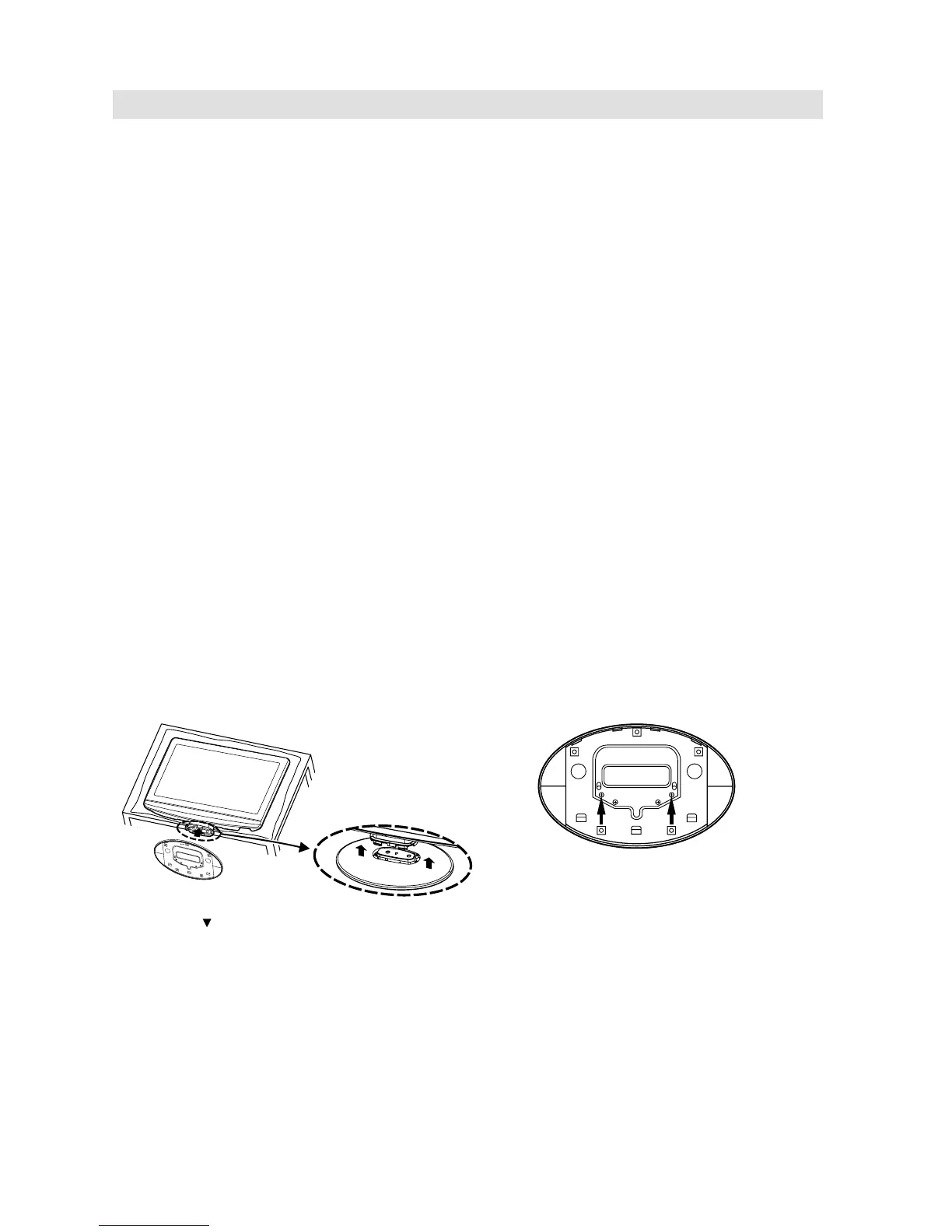
How to attach the stand
NOTE:
• Unplug the AC cord from the AC INPUT terminal.
• Before performing work spread cushioning over the base area to lay the TV on.
• Do not touch or press the TV-screen, glass might break under pressure.
1) Place the TV on its back onto a table.
2) Align the stand’s bottom-plate (supplied) as seen here.
It will fi t in only one direction.
3) Press it in direction of arrow until ‘click’.
Dismantling the base
For wall mounting, the base must be dismantled. To do this, remove 2 screws (M, see page 10) from the
back. Take off the base entirely.
Finally secure the bottom-plate with 2
screws (included).
Please note “ ” mark on the stand is facing the LCD
panel side.



 To Next Page