EasyManua.ls Logo

Hitachi 3700 - 3.2 Install the CD Controller Board

Hitachi 3700
16 pages
Print Icon
To Next Page IconTo Next Page
To Previous Page IconTo Previous Page
Loading...
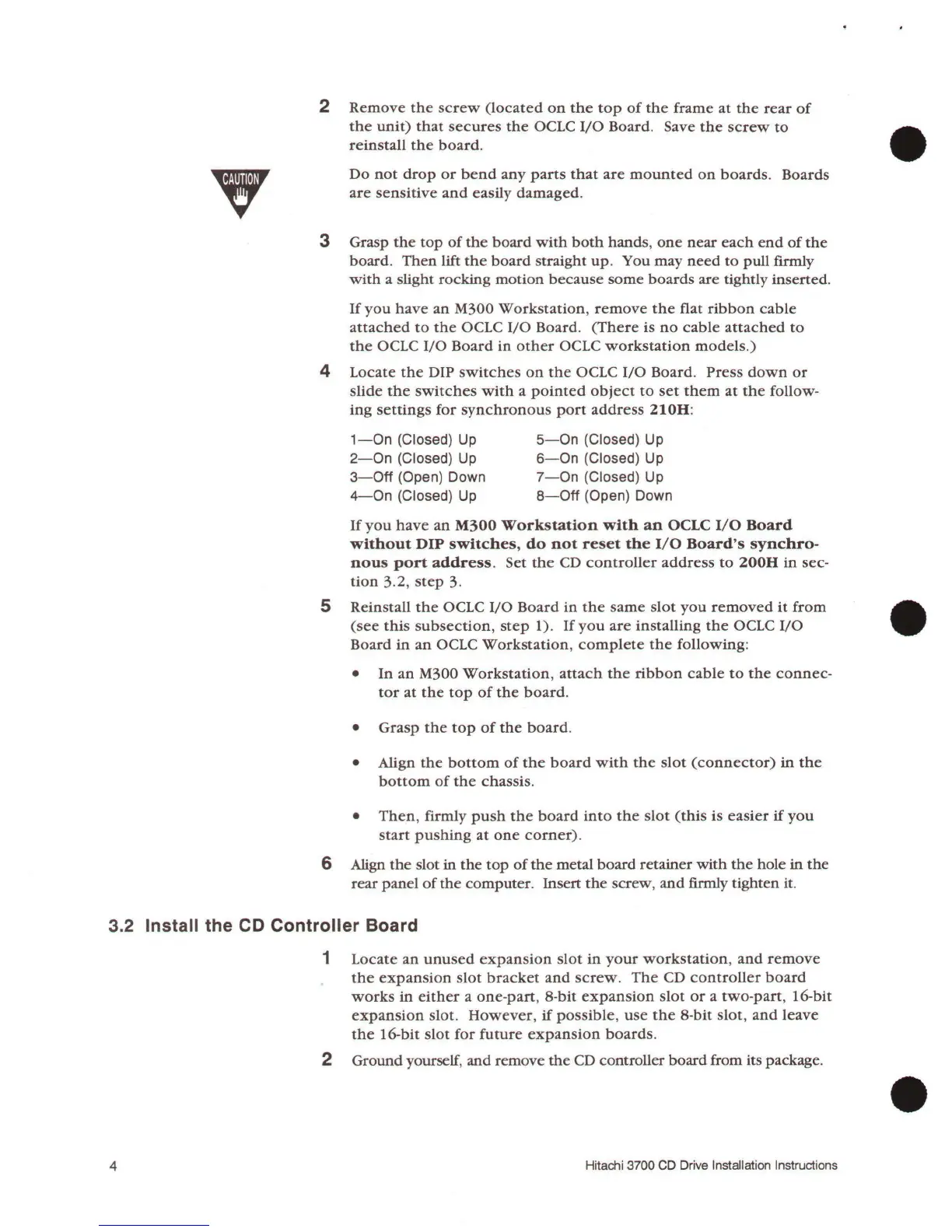
2
Remove
the
screw
(located
on
the
top
of
the
frame
at
the
rear
of
the
unit)
that
secures
the
OCLC
I/0
Board
. Save
the
screw
to
reinstall
the
board.
3
Do
not
drop
or
bend
any
parts
that
are
mounted
on
boards.
Boards
are
sensitive
and
easily
damaged
.
Grasp
the
top
of
the
board
with
both
hands
,
one
near
each
end
of
the
board.
Then
lift
the
board
straight
up
. You
may
need
to
pull
fumly
with
a slight
rocking
motion
because
some
boards
are tightly inserted.
If
you
have
an
M300
Workstation
,
remove
the
flat
ribbon
cable
attached
to
the
OCLC
I/0
Board
.
(There
is
no
cable
attached
to
the
OCLC
I/0
Board
in
other
OCLC
workstation
models.)
4
Locate
the
DIP
switches
on
the
OCLC
I/0
Board.
Press
down
or
slide
the
switches
with
a
pointed
object
to
set
them
at
the
follow-
ing
settings
for
synchronous
port
address
210H
:
1-0n
(Closed)
Up
2-0n
(Closed)
Up
3-
0ff
(Open) Down
4-
0n
(Closed)
Up
5-0n
(Closed) Up
6-0n
(Closed) Up
7-0n
(Closed) Up
8-0ff
(Open) Down
If
you
have
an
M300
Workstation
with
an
OCLC
1/0
Board
without
DIP
switches,
do
not
reset
the
1/0
Board's
synchro-
nous
port
address.
Set
the
CD
controller
address
to
200H
in
sec-
tion
3.2,
step
3.
5 Reinstall
the
OCLC
1/0
Board
in
the
same
slot
you
removed
it
from
(see
this
subsection
,
step
1).
If
you
are
installing
the
OCLC
I/0
Board
in
an
OCLC
Workstation,
complete
the
following:
In
an
M300
Workstation
,
attach
the
ribbon
cable
to
the
connec-
tor
at
the
top
of
the
board
.
Grasp
the
top
of
the
board
.
Align
the
bottom
of
the
board
with
the
slot
(connector)
in
the
bottom
of
the
chassis.
Then
, firmly
push
the
board
into
the
slot
(this
is
easier
if
you
start
pushing
at
one
corner).
6 Align
the
slot
in
the
top
of
the
metal
board
retainer
with
the
hole
in
the
rear
panel
of
the
computer.
Insert
the
screw,
and
firmly
tighten
it.
3.2 Install the CD Controller Board
4
1
Locate
an
unused
expansion
slot
in
your
workstation,
and
remove
the
expansion
slot
bracket
and
screw
.
The
CD
controller
board
works
in
either
a
one-part,
8-bit
expansion
slot
or
a
two-part,
16-bit
expansion
slot
.
However,
if
possible,
use
the
8-bit
slot
,
and
leave
the
16-bit
slot
for
future
expansion
boards.
2 Ground yourself,
and
remove
the
CD controller
board
from its package .
Hitachi 3700 CD Drive Installati
on
Instructions

Related product manuals