Basic Instruction Manual
28
Quick Start
If you press the SLEEP/RESTART button while in
the recording pause status instead of turning the
DVD video camera/recorder off, the status that
recording is possible will be restored in approx.
1.5 seconds.
1 To Set Sleep Status.
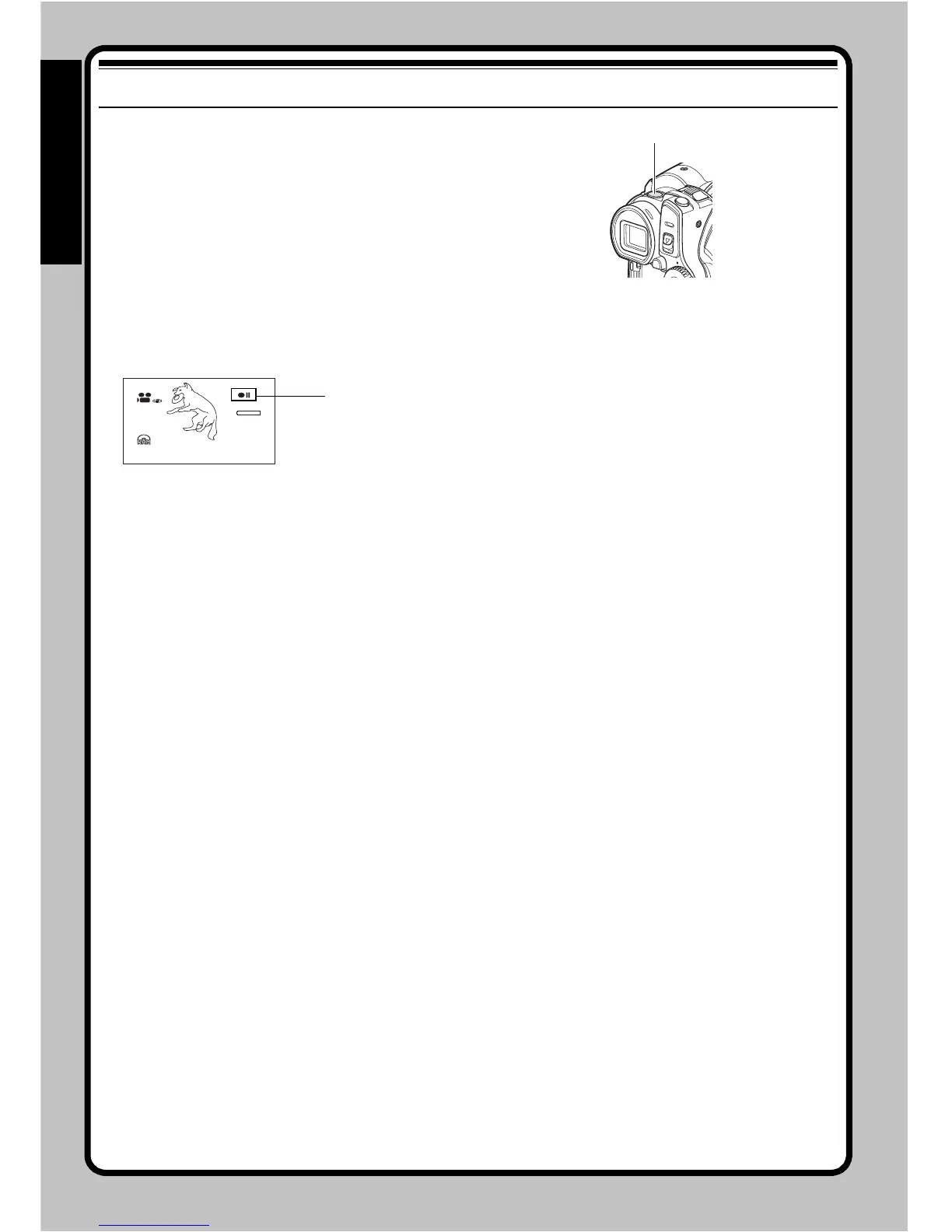
Press the SLEEP/RESTART button in the
recording pause status.
The SLEEP/RESTART button will light, and
the DVD video camera/recorder will enter
the sleep/restart standby status.
In the following cases, pressing the SLEEP/
RESTART button will not set the DVD video
camera/recorder to the sleep/restart standby
status:
• No disc or card is inserted into this DVD video
camera/recorder.
• The loaded disc or card has no remaining free
space.
• The Disc Navigation screen is being displayed.
• The power switch is set to “ ” when using a DVD-
RW/DVD-R/+RW.
• During playback.
• An unusable disc or card is loaded.
2 To Quick Restart.
Press the SLEEP/RESTART button that is lit:
The DVD video camera/recorder will return
to the recording pause status.
Pressing the REC or PHOTO button will also
restore the DVD video camera/recorder to
recording pause from the sleep/restart
standby status.
The following operations will release the
sleep/restart standby status:
• Pressing the DISC EJECT button all the way
down.
• Changing over the power switch (!↔ ).
Note
:
• If you press the REC or PHOTO button while in the
sleep/restart status, the recording pause status will be
restored, but recording of a video or photo will not
start. To record, press the REC or PHOTO button
again.
SLEEP/RESTART button
30MIN
0:00:00
REM
FINE
8:00
10/1 6/ 2007
Recording pause







 To Next Page