33
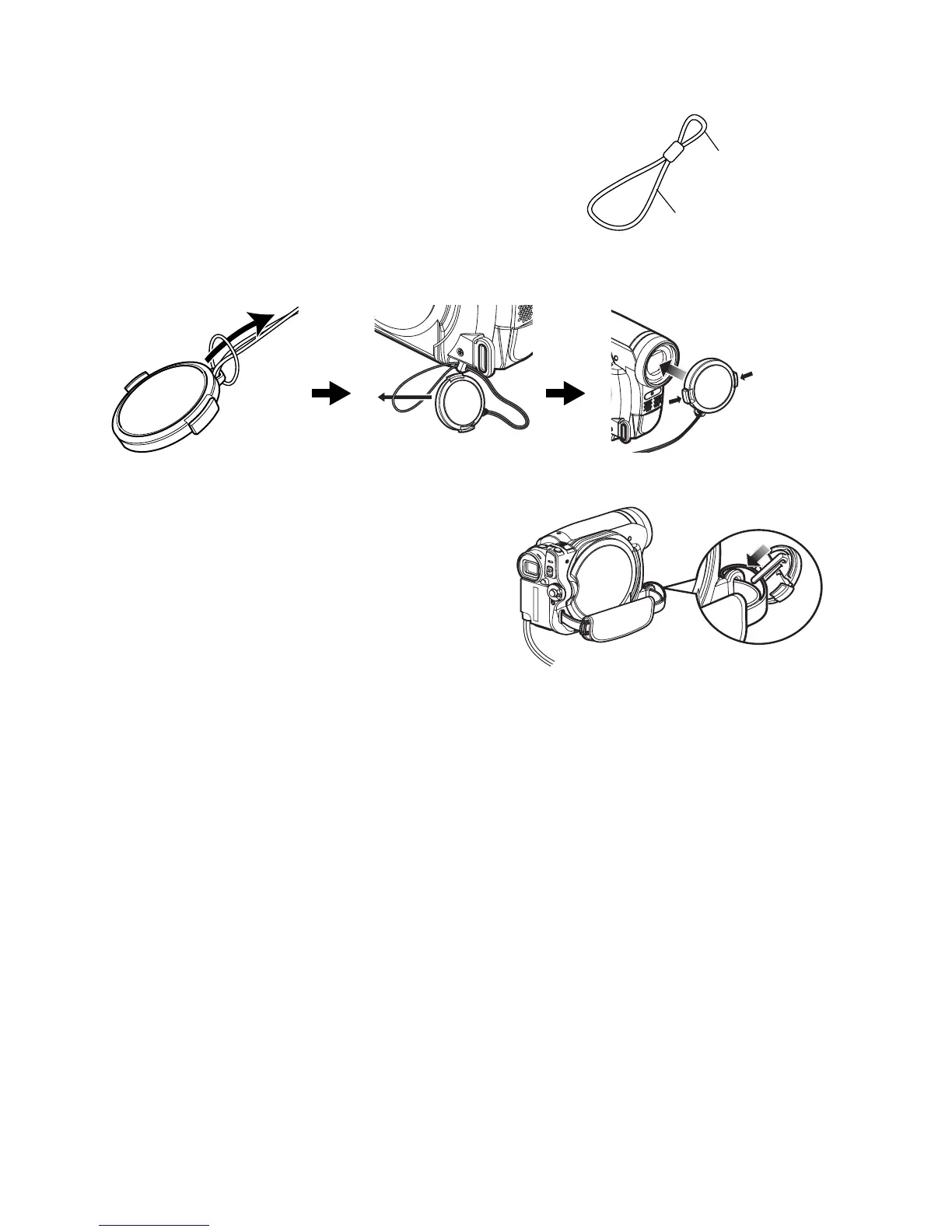
ATTACHING LENS CAP
1 Attach the shorter end of lens cap string to
the lens cap.
2 Attach the longer end of lens cap string to the
attachment hole of DVD video camera/
recorder.
3 Push the both sides of cap inward and attach
it over the lens.
Note:
• Always keep the lens cap on when not using the DVD
video camera/recorder, to protect the lens.
• When recording, attach the lens cap to the hand strap
by hooking the tab inside the cap onto strap for
comfortable shooting.
Shorter end
Longer end
Push and fit







 To Next Page