English
143
INSTALLING SOFTWARE
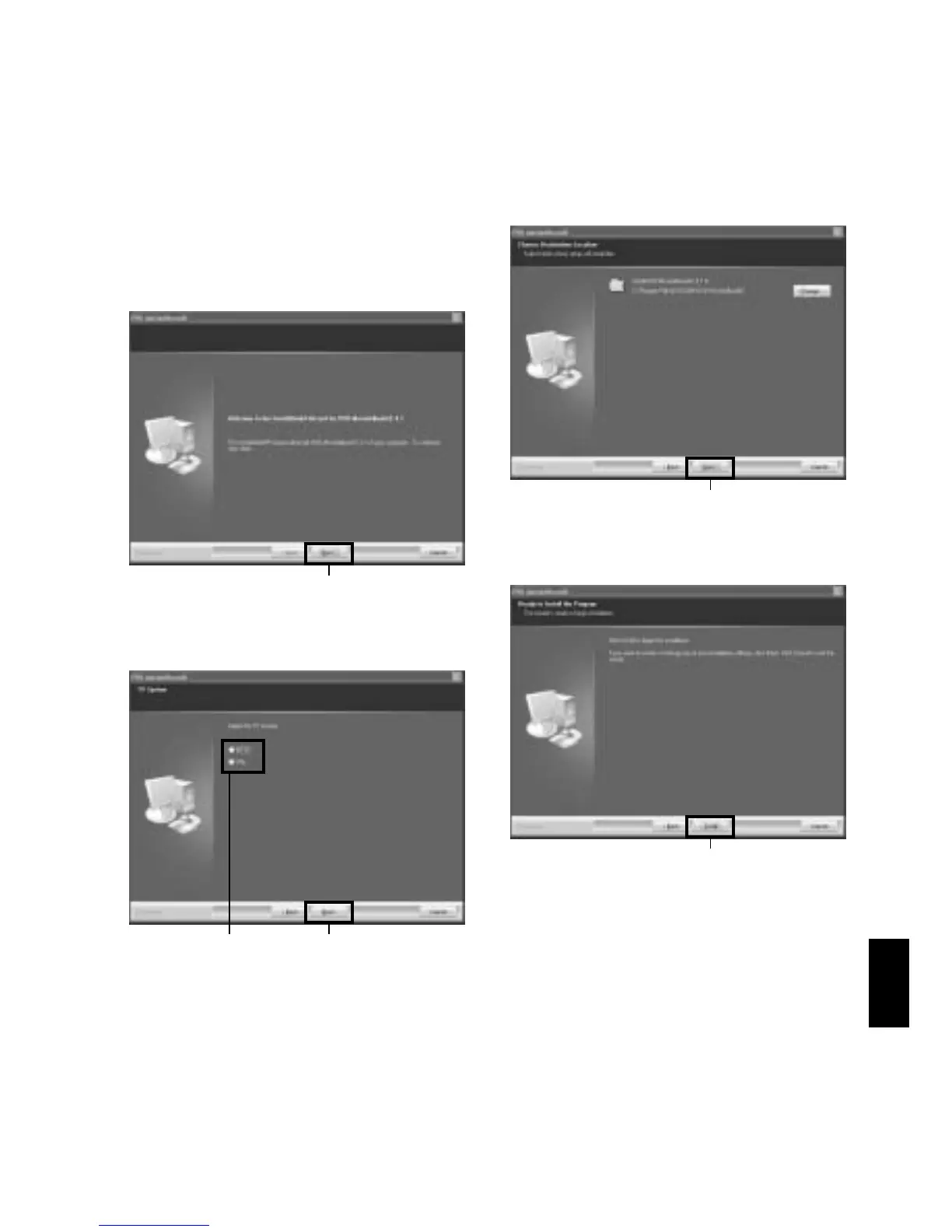
1Click “All” on the installer screen.
Clicking “All” allows you to install the DVD-
RAM driver, DVD-MovieAlbumSE 4.1 and
DVDfunSTUDIO 2.2 all at one time.
If any of the software programs are already
installed, uninstall them, and then proceed
with installing the provided programs.
2The screen for installing DVD-
MovieAlbumSE will appear: Click “Next”.
3Choose your TV broadcast system, and then
click “Next”.
4If you do not wish to change the folder in
which DVD-MovieAlbumSE is installed, click
“Next”.
If you wish to change the folder, click
“Change”, and then choose the folder in
which DVD-MovieAlbumSE is to be installed.
5Click “Install”.
Installation will start.
Click
ClickConfirm
Click
Click








 To Next Page