Turn on the filament/beam
(a) Turn on the filament voltage (if the filament voltage is off)
- “Operation” -> “HV/Filament Operation”
- click “Filam. on”, it takes about 30 seconds
(b) Turn on the beam
- Select Auto mode, click “Beam On”
under Auto mode, the filament current will automatically turn on and turn off when you
loading or remove the sample holder
(c) Click Run, to turn on the screen camera. (Left display)
Specimen height adjustment
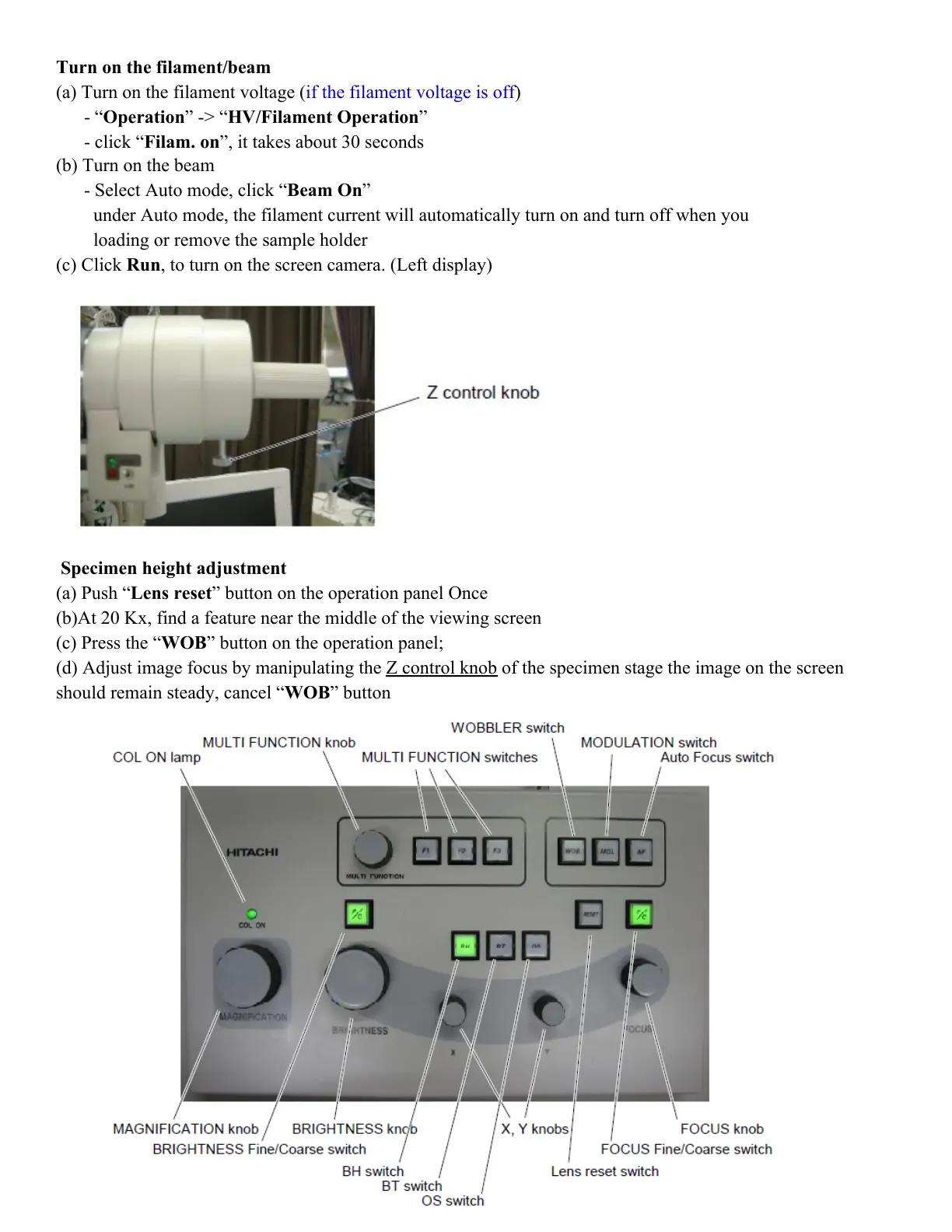
(a) Push “Lens reset” button on the operation panel Once
(b)At 20 Kx, find a feature near the middle of the viewing screen
(c) Press the “WOB” button on the operation panel;
(d) Adjust image focus by manipulating the Z control knob of the specimen stage the image on the screen
should remain steady, cancel “WOB” button



 To Next Page