Connections
Connecting to the Earphones Socket
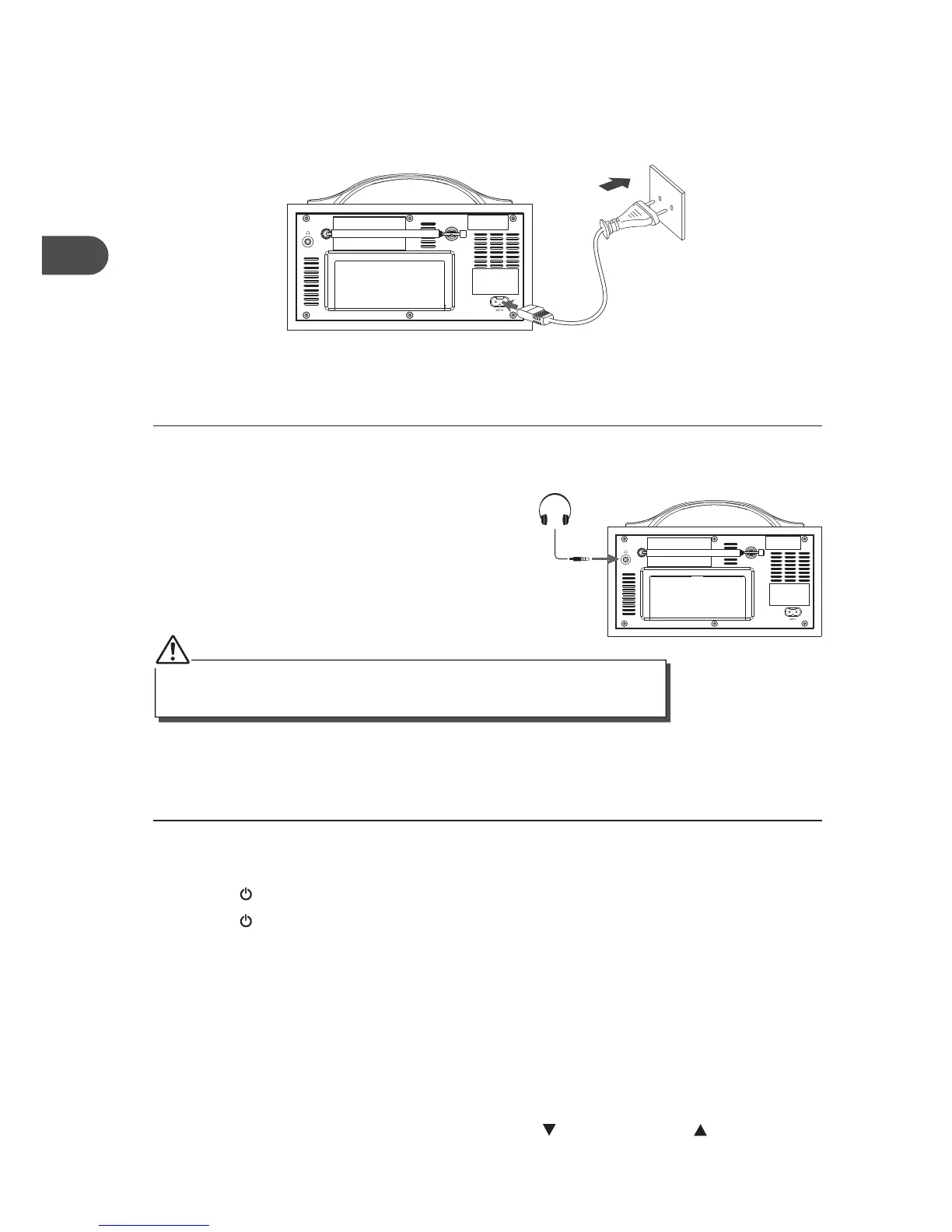
1. Connect earphones (3.5mm stereo mini plug)
to the earphones socket.
2. Adjust the volume control to obtain the
desired volume level.
3. When the earphones are connected, the
speakers will automatically mute.
Mains Power
Before using, connect the supplied power cable to the mains cable socket at the rear of the
unit and to the mains socket.
Basic Operation
Powering ON/OFF
• Press the STANDBY button to switch the unit on.
• Press the
STANDBY button again to switch the unit back to standby mode.
• Disconnect the mains plug from the mains socket if you want to switch the unit o
completely.
Selecting Modes
Press the DAB/FM button repeatedly to switch between modes (DAB or FM).
Adjusting the Volume
Adjust the volume to the desired level by turning the VOLUME/SELECT control.
• Avoid listening to sound excessive levels which could be harmful to your ear.
• Prolonged listening at full volume can damage the ears of the user.
10
GB


 To Next Page