Setting the Clock
The clock can only be updated if you can receive DAB signals in your location. In order for
the clock to synchronise to the current local time you must leave it on one DAB station for a
short period of time. Manual clock setting is not required.
Setting the Alarm (AC Operation Only)
Make sure you have preset FM and DAB stations before setting the Alarm.
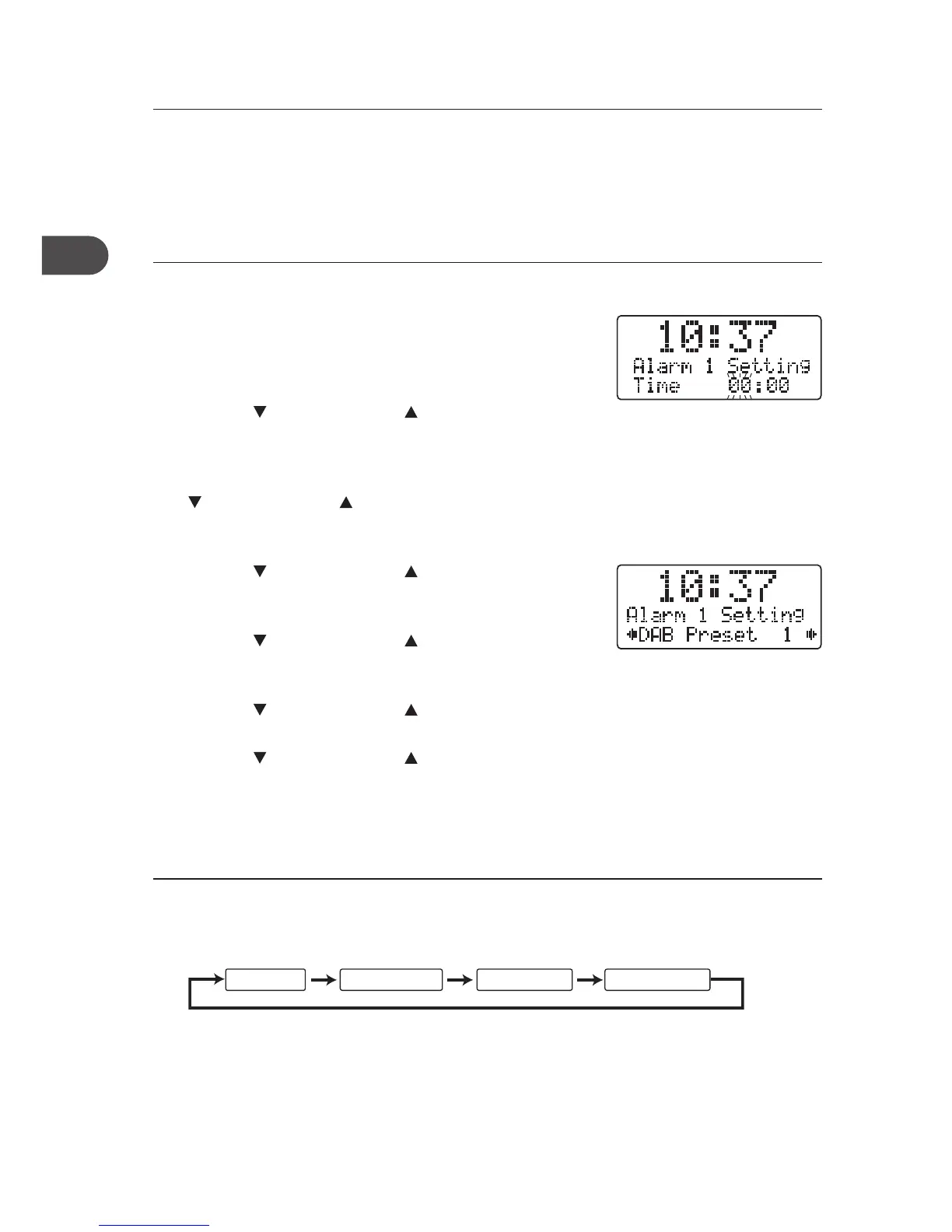
1. The unit has two alarms. Press and hold the ALARM1/
ALARM2 button to set alarm 1 or alarm 2. The display
will show “Alarm # Setting” and the hour digits will
ash.
2. Turn the
VOLUME/SELECT control to adjust the
hour digits and then press the TUNE/SELECT button
to conrm.
3. The minute digits will ash. Turn the
VOLUME/SELECT control to adjust the minute
digits and then press the TUNE/SELECT button to
conrm.
4. Turn the
VOLUME/SELECT control to select DAB
preset station. Press the TUNE/SELECT button to
conrm.
5. Turn the
VOLUME/SELECT control to select FM
preset station. Press the TUNE/SELECT button to
conrm.
6. Turn the
VOLUME/SELECT control to select
Buzzer 1/2. Press the TUNE/SELECT button to conrm.
7. Turn the
VOLUME/SELECT control to select the
alarm wake up volume level. Press the TUNE/SELECT
button to conrm.
Activating the Alarm Function
1. To activate the alarm function, repeatedly press the ALARM1 or ALARM2 button. The
alarm wake-up modes will be displayed and change in the below sequence on every
press:
Alarm Off DAB Preset # FM Preset # Buzzer Tone #
2. When the display shows your desired alarm wake-up mode, release the button. The
alarm function is now activated and an alarm icon will be displayed.
16


 To Next Page