Display Backlight
There are four backlight levels for you to select from in AC mode. During AC standby and
DC on mode, the backlight will be turned on to full brightness for 5 seconds on every key
press.
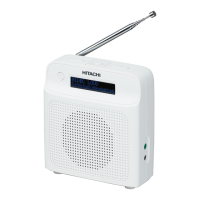
To set the backlight, press the SNOOZE/BACKLIGHT button repeatedly and the brightness
of the display will change in the below sequence on every press:
Backlight o > Backlight 01 > Backlight 02 > Backlight 03 > Backlight o >……
After the system reset, all the tuned stations, DAB & FM preset stations
and alarm settings will be erased.
• The Backlight function setting can be selected only in AC power operation.
• The display backlight level is defaulted to “Backlight 01” in AC standby and “Backlight 03”
during operation. This is resumed only when the factory reset has taken place.
System Reset
There may be times when you need to reset your unit back to the factory settings especially
when you have moved house. If you experience reception problems you may want to reset
and try again. If you move to another part of the country and pick up the local and national
DAB stations in that area, your previously tuned channels may no longer be available.
1. Press and hold the MENU button until the “Press SELECT to con rm reset” shows on
the display.
2. Press the TUNE/SELECT button to start the system reset, “Restarting…” will show on
the display. After the reset is complete, the unit will go to standby mode.
3. Press the
STANDBY button again to turn the unit on, the unit will then start
scanning for DAB channels immediately.
18
GB


 To Next Page