DAB Operation
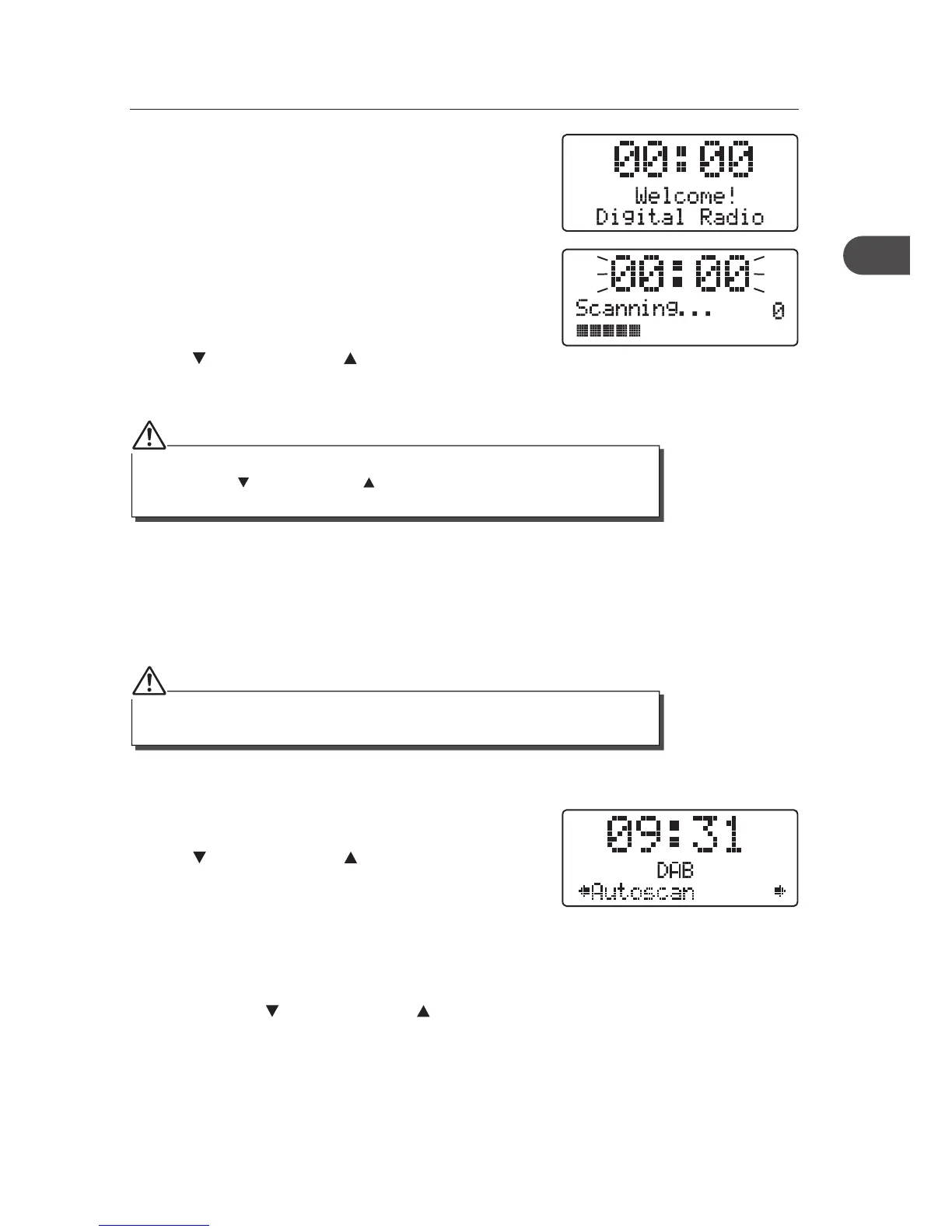
If the unit is connected to the mains power and then
switched on from standby for the rst time, the unit will
automatically enter into the DAB mode and perform
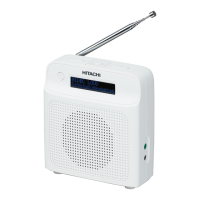
auto scan function. During the scan the display will show
“Scanning ...” together with a slide bar that indicates
the progress of the scan and the amount of stations that
have been found so far.
Once the scan has nished, the unit will select the rst
alphanumerically found station. To explore the found
stations, press the TUNE/SELECT button and then
turn the
VOLUME/SELECT control. When you
nd a station that you would like to listen to, press the
TUNE/SELECT button.
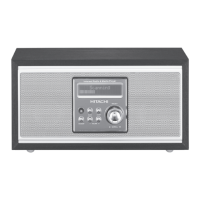
1. To activate auto scan, rst press the MENU button
to enter into the Tune Select Menu, then rotate
the
VOLUME/SELECT control to select
“Autoscan”, nally press the TUNE/SELECT button
to con rm, the display will show “Scanning …” and
a progressing slide bar.
2. All the stations that have been found will be stored
automatically, to explore and select listening to the
found stations, press the TUNE/SELECT button and
then turn the
VOLUME/SELECT control. Press
the TUNE/SELECT button to con rm.
DAB Auto Scan
The auto scan will search for the entire DAB Band III channels. After the scan has nished,
the rst alphanumerically found station will be automatically selected.
If no stations are found after auto scan, the unit will then enter into the Tune Select
Menu. Turn the VOLUME/SELECT control and then press the TUNE/SELECT
button to select manual tune or auto scan modes for stations.
Full auto scan will not replace the DAB stations in memory. If you want to remove all
the previous scanned stations, system reset is required.
11
GB


 To Next Page