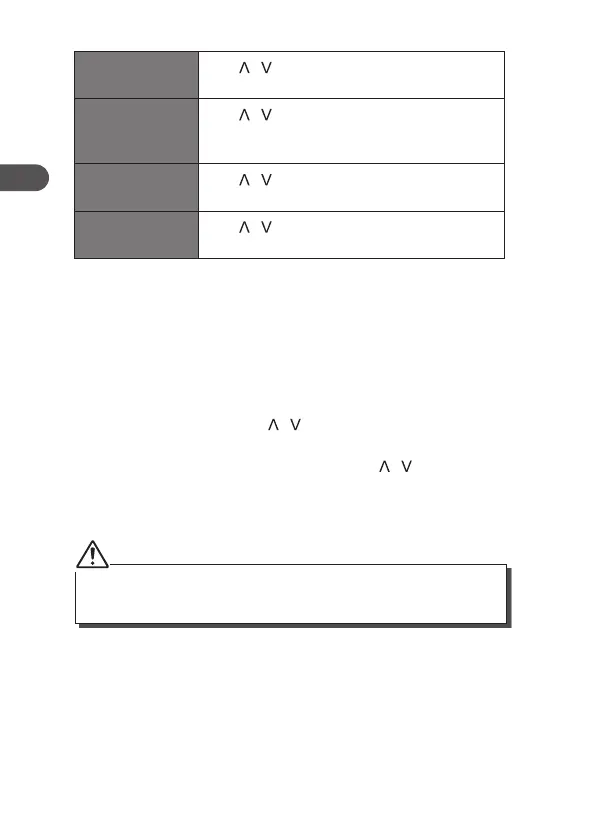
Set time/date
Press / button to adjust the time and date,
then Press Enter to conrm.
Auto update
Press / button to select Update from Any,
DAB, FM or No Update then Press Enter to
conrm.
Set 12/24 hour
format
Press / button to select Set 24 hour or Set
12 hour then press Enter to conrm.
Set date format
Press / button to select MM-DD-YYYY or
DD-MM-YYYY, then press Enter to conrm.
4. Press Menu to exit the menu.
Factory Reset
When you move the unit to another part of the country, your pre-tuned
and stored DAB/FM stations may no longer be available and you might
need to reset the unit back to its original factory settings. To perform a
factory reset, please do the following:
1. Press Menu and then press / button to select <Factory Reset>
and then Press Enter to conrm.
2. The display will show “Factory Reset?”. Press / button to select
<Yes>.
3. Press Enter to start the system reset, “Restarting…” will show on the
display. Then the unit will start a Full scan in DAB mode.
After the factory reset, all the tuned stations, DAB & FM preset stations
will be erased.
16
GB


 To Next Page