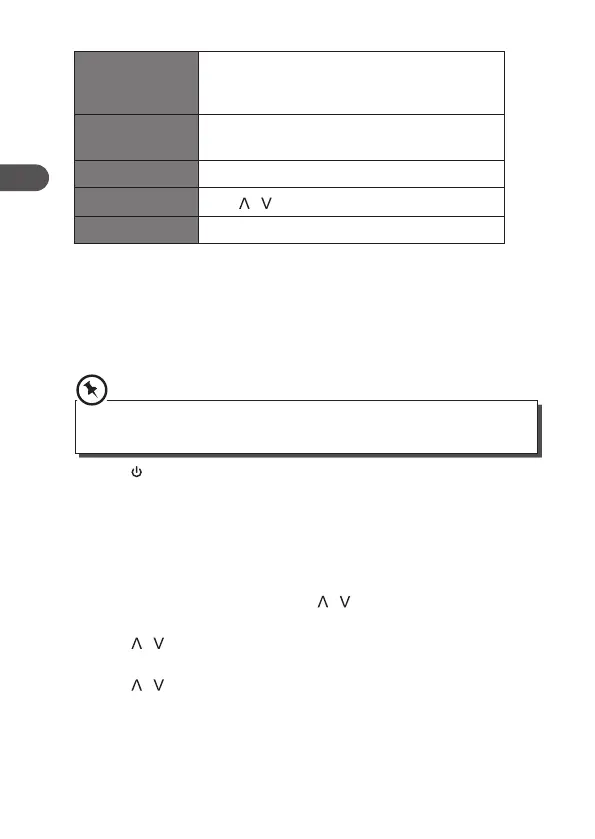
Alarm mode DAB, FM or Buzzer (if the wake-up mode is DAB
and the DAB signal strength is low, the buzzer
alarm will be triggered.)
Last listened Last listened or saved preset station (not
available for Buzzer mode).
Alarm active day Daily, Once, Weekends or Weekdays
Alarm volume
Press / button to adjust the alarm volume
Alarm states On or O
4. When the display shows <Alarm Saved>, the alarm setting is
successful.
5. To temporarily switch o the alarm, press Enter button to activate
Snooze function when alarm sounds. Press Enter button repeatedly
can set Snooze period time of 5, 10, 15 or 30 minutes in turn. The set
snooze time will show as “Snooze mm:ss” on the display.
The options of Snooze time depends on which alarm duration time you
selected.
6. Press Standby button to switch o the alarm. To cancel the alarm,
refer to steps 1-3 to set the alarm O.
Setting Backlight
This feature enables you set backlight level of power on mode and
standby mode.
1. Press Menu button, and then press / button to select
<Backlight>, press Enter button to conrm.
2. Press / button to select <On level> or <Dim level>, and then
press Enter button to conrm.
3. Press / button to select <High>, <Medium> or <Low>, and then
press Enter button to conrm.
18
GB


 To Next Page