EasyManua.ls Logo

Hitachi LE42EC04A - User Manual

Hitachi LE42EC04A
32 pages
Print Icon
To Next Page IconTo Next Page
Loading...
LCD COLOR TELEVISION
USER MANUAL
Thank you for purchasing this Hitachi product.
To obtain the best performance and safety, please read this user manual carefully.
Please keep this manual for future reference.
SERIES
LE42EC04A LE46EC04A
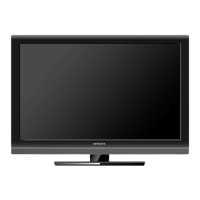
Pictures for illustration purposes only. Actual product may vary.

Questions and Answers

  • J
    Jeffery CraigAug 21, 2025
    How to fix Hitachi LCD TV remote control?
    • J
      John RichardsAug 21, 2025
      If your Hitachi LCD TV remote control isn't working, verify the batteries are correctly installed and have a charge. If that doesn't work, try replacing them with new batteries. Also, make sure there are no obstructions between the remote and the TV's sensor, and that no strong light is shining on the sensor.
  • K
    Kathy LuceroSep 4, 2025
    What causes intermittent interference on Hitachi LE42EC04A LCD TV?
    • C
      Catherine HunterSep 4, 2025
      If you are experiencing intermittent interference on your Hitachi LCD TV, check if the source of interference is shielded well. Try removing electrical devices away from the TV.
  • M
    Michael WalshSep 2, 2025
    Why HDMI controls do not function on Hitachi LE42EC04A LCD TV?
    • C
      Cheryl JacksonSep 2, 2025
      If the HDMI controls are not functioning on your Hitachi LCD TV, check the connections between the panel and the HDMI equipment. Confirm that the settings for the panel and the equipment are correct and that the equipment is HDMI compliant.
  • K
    kathywrightSep 1, 2025
    How to troubleshoot no picture but normal sound on Hitachi LCD TV?
    • P
      Patrick SmithSep 1, 2025
      If your Hitachi LCD TV has no picture but normal sound, check the picture adjustment settings and reset to default values if necessary. Confirm that the connected equipment is installed and programmed properly. If viewing an image from a PC, confirm that the signal is compatible. The feature 'Audio Only' or 'Background Music' could be activated, so press any remote control button to resume 'Display On'. Broadcasting failure may also be the reason.
  • C
    Christina CrossAug 30, 2025
    How to fix snowy picture and poor sound on Hitachi LE42EC04A?
    • M
      Michael LeonAug 30, 2025
      If your Hitachi LCD TV has a snowy picture and poor sound, check the antenna connection and direction. The TV station may have broadcast difficulties, so try changing to another channel.
  • K
    Kristin CarpenterAug 29, 2025
    Why does my Hitachi LE42EC04A power off suddenly?
    • D
      debra17Aug 29, 2025
      If your Hitachi LCD TV is suddenly turning off, confirm that the Sleep Timer hasn't been activated. Also, check the power control setting.
  • S
    Steven HutchinsonAug 27, 2025
    Why does my Hitachi LE42EC04A have a picture but no sound?
    • J
      Joshua MyersAug 27, 2025
      If your Hitachi LCD TV has a normal picture but no sound, first, press the volume up button to increase the volume. You may also want to try changing the sound system. Check the connection of any external equipment. Broadcasting failure may also be the reason.
  • S
    Shane HooperAug 26, 2025
    Why is there no picture and sound on my Hitachi LE42EC04A LCD TV?
    • L
      Lisa StephensAug 26, 2025
      If your Hitachi LCD TV has no picture and no sound, make sure the main power of the TV is turned on. Check the connection of the power cord and other cables. Also, check the antenna connections and the signal source.
  • W
    William NunezAug 25, 2025
    How to troubleshoot no power on Hitachi LE42EC04A?
    • J
      Judith GonzalezAug 26, 2025
      If your Hitachi LCD TV has no power, check the connection at the wall and the TV panel to ensure they are properly seated.
  • D
    Danielle CunninghamAug 23, 2025
    What to do if my Hitachi LE42EC04A says 'No Signal'?
    • S
      scollinsAug 23, 2025
      If your Hitachi LCD TV displays 'No Signal', it means the TV isn't detecting a signal from any input terminals. First, check that the cable is correctly and firmly connected. Next, ensure that any external equipment connected to the TV is powered on. Finally, verify that the input source selection is correct.

Hitachi LE42EC04A Specifications

General IconGeneral
Screen Size42 inches
Display TechnologyLCD
Backlight TypeLED
HDMI Ports3
USB Ports1
Aspect Ratio16:9
Response Time6.5 ms
VGA Port1
Standby Power Consumption0.5W
Resolution1920 x 1080
Viewing Angle178° (H) / 178° (V)

Related product manuals