19
ENGLISH
CONNECTION (continued)
Connecting Procedure (continued)
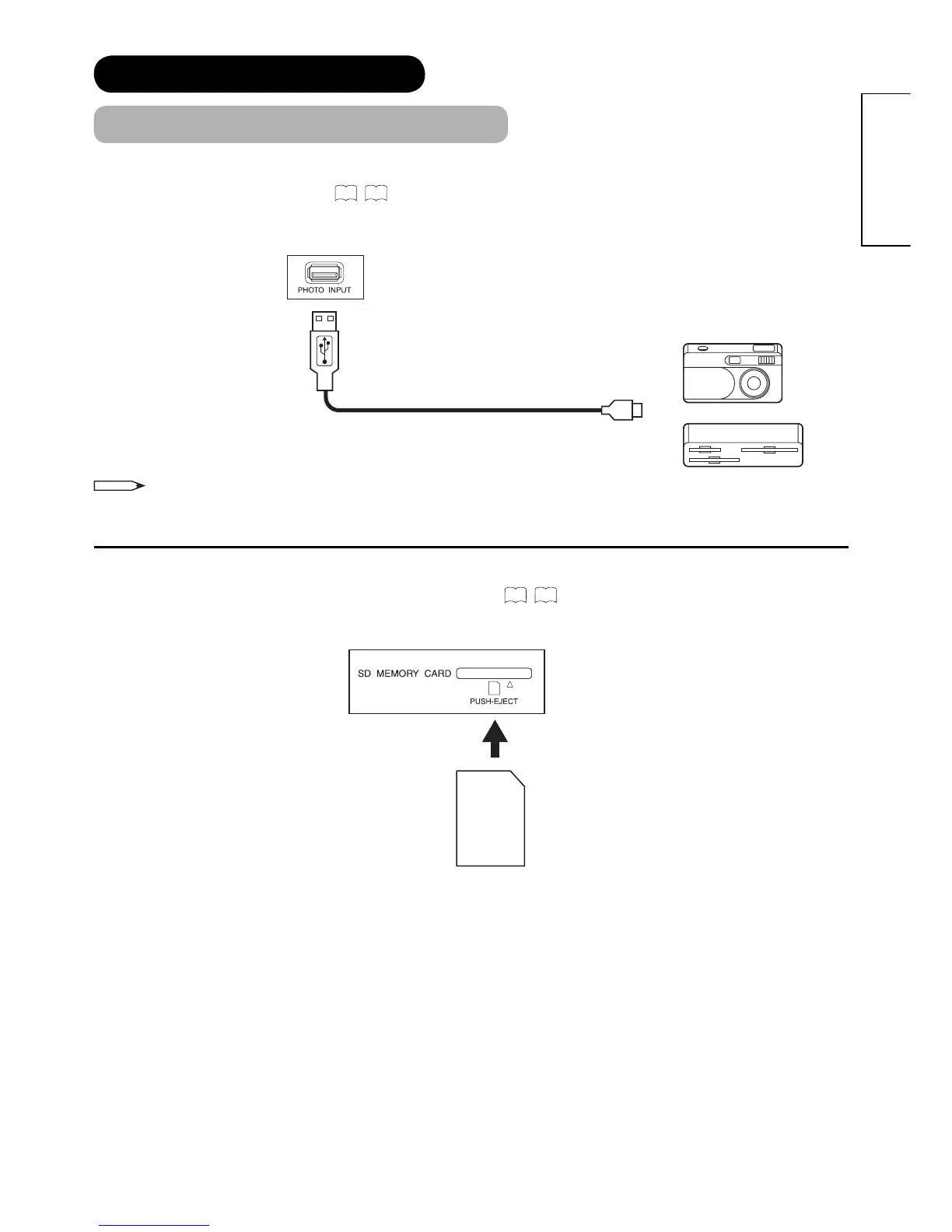
Photo Input terminal can be connected to a digital still camera or USB card reader with USB cable. For details, refer
to the Photo Input function shown on
54
~
58
.
SD Memory Card slot can be used for the Photo Input function with the SD (or MMC) card memory containing
pictures. For details, refer to the Photo Input function shown on
54
~
58
.
IN
NOTE
This photo input terminal does not support general USB devices such as USB memory.
Please do not connect with those devices.
SD Card / MMC
OUT
[Example]
Digital Camera
USB Card reader









 To Next Page