11
1.) Connecting to a power source
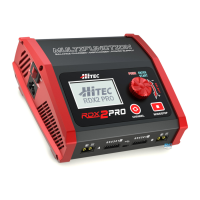
The Hitec RDX2 Pro features a built-in switching power supply. You can connect the AC power cord
directly to an AC socket (100-240V AC) or use an 11-18V DC power source (such as an automotive
battery or 12 Volt power supply).
2.) Connecting the battery
NOTE: Before connecting any battery, it is absolutely essential to check one last time
that the parameters were set correctly. If the settings are incorrect, the battery may
be damaged and, in worse case scenarios, could even burst into ames or explode.
3.) Balance Socket
The balance wire attached to the battery must be connected to the charger, with the black wire
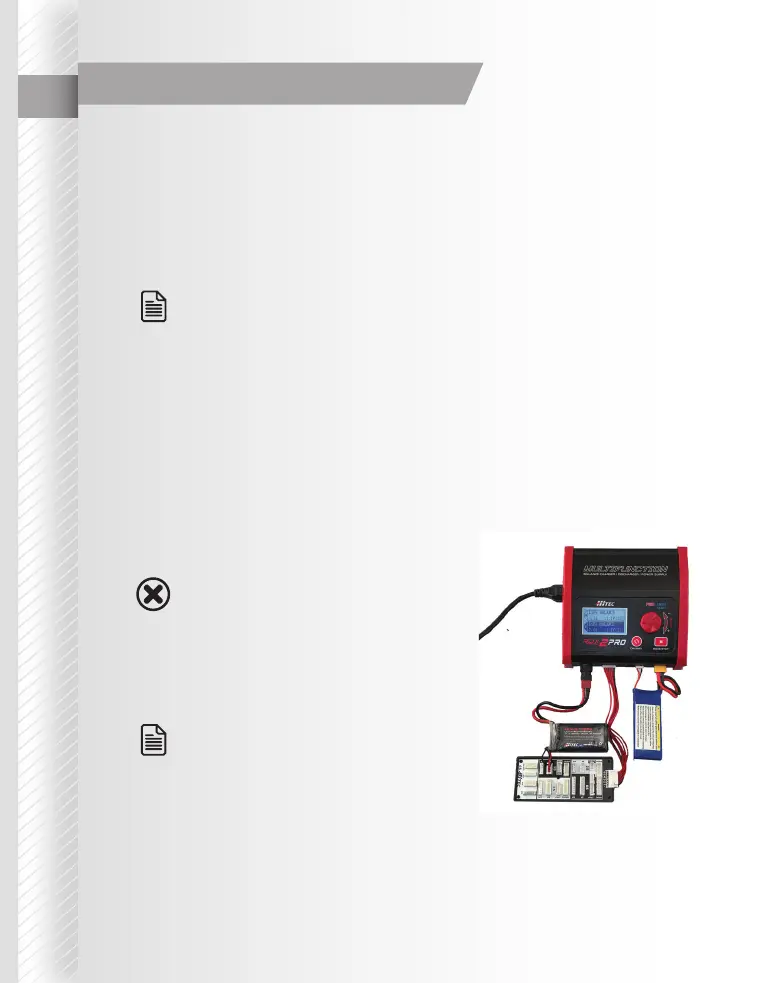
aligned with the negative marking. Take care to maintain correct polarity. (See photo below)
This photo shows the correct way to connect your battery to the Hitec RDX2 Pro when charging in the
balance charge program mode.
Note
Note
FAILURE TO CONNECT AS SHOWN IN THIS
PHOTO WILL DAMAGE YOUR CHARGER.
TO AVOID A SHORT CIRCUIT BETWEEN
THE CHARGE LEAD, ALWAYS CONNECT THE
CHARGE CABLE TO THE CHARGER FIRST,
THEN CONNECT THE BATTERY. REVERSE THE
SEQUENCE WHEN DISCONNECTING.
THE NEGATIVE BLACK LEADS SHOULD
ALWAYS BE JUSTIFIED TO THE RIGHT OF THE
CONNECTION.
Warning
Charger Connections


 To Next Page