30
The user can check the battery’s total voltage, the highest voltage, the lowest voltage and each cell’s voltage.
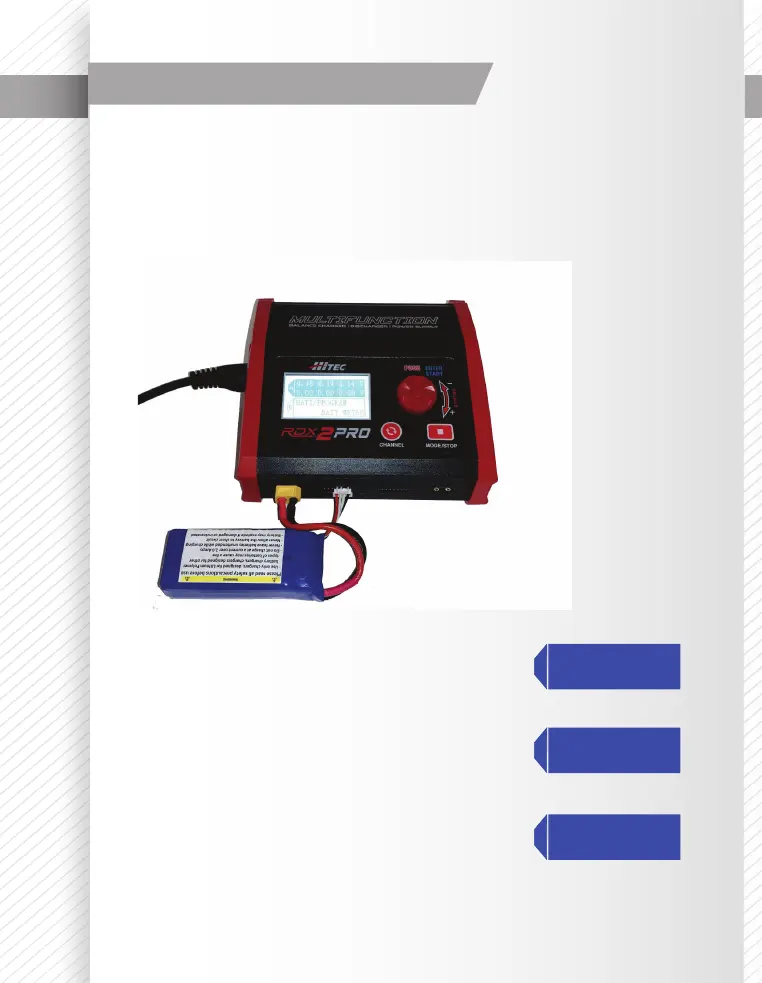
Connect the battery via the charger’s main battery lead to the battery socket; and the balance wires to the
balance socket as shown below.
The display below indicates the current Main Voltage, Percentage of Charge, Individual Cell Voltage, and the
Highest and Lowest voltages of the pack’s cells.
Press the ENTER/START to enter the Lithium Battery Meter program.
The screen indicates the total voltage, the highest voltage and the lowest
voltage.
The screen indicates each cell’s voltage.
Battery Voltage Meter
A
4.20 4.19 4.19V
4.18 4.18 4.19V
A
MAIN:25.13V
H:4.200V L:4.182V
A
BATT PROGRAM
BATT METER
This photo shows the correct
way to connect your battery to
check the voltage.



 To Next Page