MEASURING
Service +49(0)391 2514666 02/2017 Instruction Manual HMP LFGpro – en
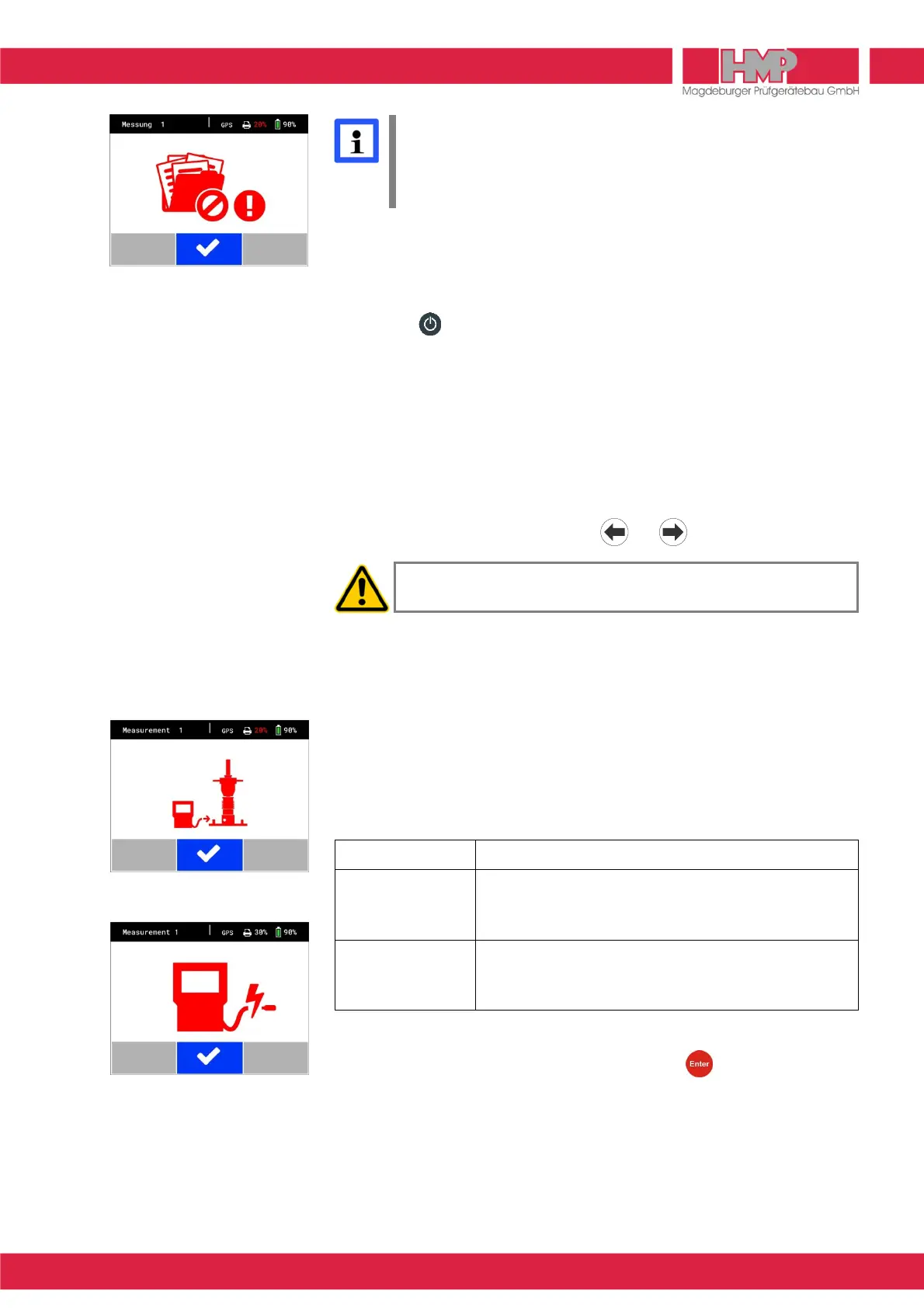
In case memory is full the menu on the left appears on the screen
(Figure 18). Storage space in the measuring instrument has to be
created by transferring the stored series of measurements to the USB
stick or to the PC or via App ( page 14) and subsequent deletion
( page 15).
Completing the Test
■
Press the key to switch off the settlement measuring instrument.
■
Disconnect the cable establishing connection between the settlement
measuring instrument and the sensor on the load plate.
− Remove the plug from the socket by pulling on the plug enclosure.
■
Replace the cap on the sensor socket.
■
Lock the drop-weight by means of the transportation lock.
− Withdraw red knob.
− Rotate red knob through 90 deg.
− At the same time, rotate the drop-weight in the lowermost position until
the pin locks into the hole in the guide tube.
The arrow is horizontal: either or drop-weight is locked
The LWD may not be relocated before the drop-weight is fixed by
means of the transportation lock.
Error Menus
To monitor the measuring procedure the measuring instrument provides
instructions which pops up as an error report before, during or after
measurement.
The following error reports may appear before the measurement:
Error report Error cause
connect measuring
device to plate
(Figure 19)
no connection between measuring instrument and load
plate (plug was not connected to the plate, measuring
cable defective, plug demolished)
short circuit in
measuring cable
(Figure 20)
no correct connection between measuring instrument
and load plate or measuring cable is damaged
■
Check / establish the connection.
■
Restart the measuring process by pressing the key, as soon as the
connection is correct.



 To Next Page